
Table of Contents
- What Planning a KNX Smart Home Installation Project Actually Involves
- KNX System Design Best Practices for Reliable Homes
- A Realistic KNX Smart Home Project Timeline
- Integrating Third-Party Devices with KNX
- Choosing Components and a Certified Installer
- Installation, Commissioning and Handover
- Common Mistakes to Avoid in KNX Smart Home Projects
- Frequently Asked Questions
Last Updated: 27 September 2026
What Planning a KNX Smart Home Installation Project Actually Involves
Planning a KNX smart home installation project is the process of designing, specifying and sequencing a wired building-control system before a single cable is pulled. It covers topology, device placement, power budgeting, installer selection and a commissioning schedule. Get it right and the system runs for decades; get it wrong and you inherit expensive e-waste.
That distinction matters more than most homeowners expect. A KNX smart home is not a collection of smart switches. It is structured cabling, a bus protocol, and a programming file that lives or dies on the quality of the plan behind it.
Below, we break down each phase of a KNX project, from the first site survey to handover, so you know what to expect and what to insist on.
KNX System Design Best Practices for Reliable Homes
Good KNX design follows three rules: keep the bus topology simple, separate power circuits from control circuits, and leave headroom on every power supply. Systems that ignore these rules tend to fail slowly, with intermittent faults that are painful to trace.
Topology, cabling and device placement
KNX runs on a twisted-pair bus, typically a green two-core cable carrying both power and data. Devices daisy-chain along a line, and lines connect back to a central distribution board via a line coupler.
Placement decisions you should settle at design stage:
- Group devices by physical zone first, function second
- Keep individual line lengths within the manufacturer’s stated limit
- Avoid running bus cable alongside mains cable for long distances
- Plan the distribution board location before plasterboard goes up
The KNX Association’s official system documentation sets out the underlying topology rules that certified installers work to.
Sizing power supplies and spare capacity
Every KNX line needs a power supply sized to the current draw of all devices on it, with spare capacity for future additions. A common mistake is sizing to the exact device count at handover. Add at least a third again for later changes, because homeowners almost always want more devices within two years.
A Realistic KNX Smart Home Project Timeline
A typical KNX installation in a renovation or new build runs across several phases, and the electrical design work starts months before any device is mounted. The table below shows how the phases usually sequence on a mid-sized residential project.
| Phase | Typical Duration | What Happens |
|---|---|---|
| Brief and site survey | 1-2 weeks | Requirements, room-by-room function list |
| System design | 2-4 weeks | Topology, device schedule, power budget |
| First-fix wiring | 1-3 weeks | Cable runs, back boxes, board prep |
| Second-fix and mounting | 1-2 weeks | Devices fitted, boards populated |
| Commissioning | 3-10 days | Programming, testing, scene setup |
| Handover and training | 1-2 days | Walkthrough, documentation, support plan |
Where projects usually slip
The delays almost never come from the electrical work itself. They come from late decisions. If a client changes a lighting layout after first fix, the wiring has to be revisited, and that is where the schedule and the budget both suffer.
Changing device schedules after first fix is the single most common cause of KNX project overruns. Lock your room-by-room function list before cables go in, or accept rework costs.
Integrating Third-Party Devices with KNX
KNX integrates with third-party devices through gateways, and the practical limit is usually the gateway’s own capability rather than the KNX bus itself. Lighting from other manufacturers, audio systems, access control and climate equipment can all be brought onto the same control layer, provided the right interface exists.
What matters is deciding early which systems stay independent. Not every device benefits from being on the bus. A common approach is to integrate lighting, blinds and climate directly, and leave consumer audio on its own app unless the client specifically wants single-panel control.
If you already own devices from other brands, a certified installer can usually assess what is integrable before you commit to a design.
Ask for a gateway compatibility list during the design phase, not after. Retrofitting an interface for a device that was never planned for often costs more than the device itself.
Choosing Components and a Certified Installer
Component selection and installer selection are the same decision, because a certified KNX installer will specify components they can support long term. Certification is not a marketing label; it indicates training and access to the manufacturer toolchain needed to program and maintain the system.
When assessing an installer, ask:
- Are you certified for KNX specifically, not just general smart home work?
- What documentation will I receive at handover?
- What does ongoing support look like after the warranty period?
- Can you show comparable projects of a similar scale?
The KNX Association’s certified partner directory lists installers who hold current certification.
Installation, Commissioning and Handover
Commissioning is where the design either proves itself or falls apart. Every device is addressed, every group is programmed, and every scene is tested against the brief. A well-commissioned system should feel obvious to use, with no manual required.
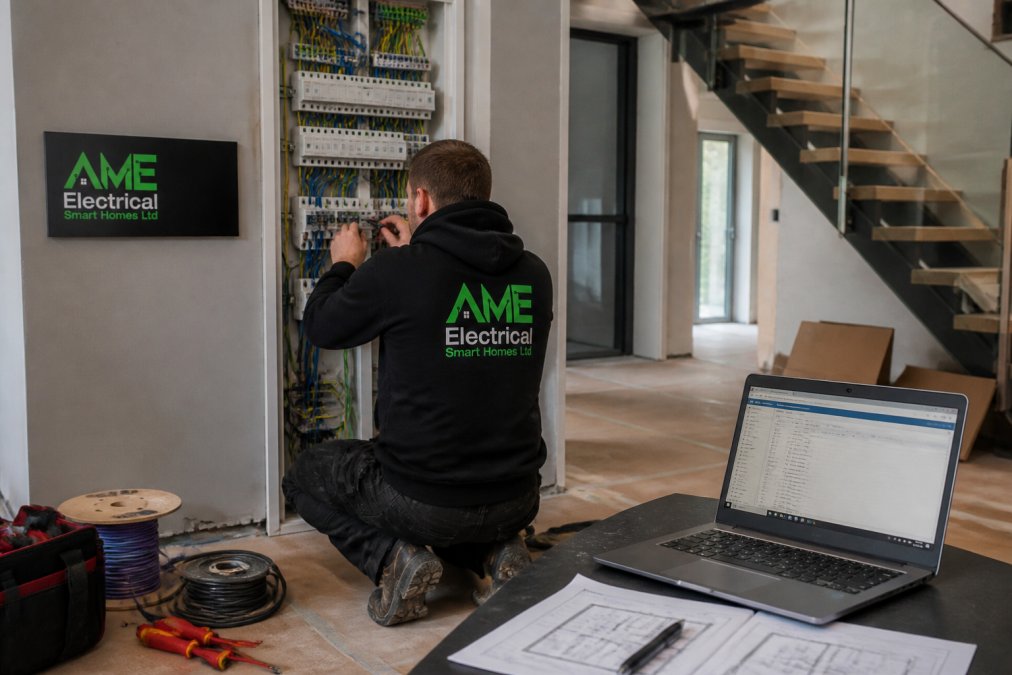
Handover should include as-built drawings, the programming file, a device schedule and a walkthrough. Insist on all four. Without the programming file, any future installer is working blind, and small changes become major jobs.
Common Mistakes to Avoid in KNX Smart Home Projects
Most KNX failures trace back to a handful of avoidable decisions. The table below pairs each mistake with its fix and the likely impact.
| Mistake | Fix | Impact if Ignored |
|---|---|---|
| No documented design | Commission as-built drawings | Future changes cost far more |
| Undersized power supply | Add a third spare capacity | Intermittent faults, device dropouts |
| Late layout changes | Freeze the function list early | Rework and schedule slippage |
| Choosing on price alone | Verify KNX certification | Poor commissioning, no support |
The UK government guidance on electrical safety in homes is worth reviewing if you are managing a renovation with multiple trades on site, since coordination between trades is where many smart home projects quietly go wrong.
Planning a KNX smart home installation project is a design exercise first and an electrical one second, and the quality of that design determines whether the system lasts a decade or becomes a liability. AME Electrical provides certified KNX and Nice installation, from consultation and system design through to commissioning and ongoing support, with a relationship-driven approach built for private and commercial clients. If you want a system that still works the way it did on day one, get a quote from AME Electrical and start with a proper design.
Frequently Asked Questions
Do I need a certified KNX partner to install my system?
Yes. KNX certification is what separates a system that works for a decade from one that fails after two years. Certified partners complete accredited training, use ETS commissioning software properly and can register your installation for manufacturer warranties on devices. They also document the project so future changes do not require a full rewire. Ask for certification evidence before signing anything, and confirm the installer offers ongoing support after handover, not just a handover certificate.
Can KNX be integrated with existing lighting like Philips Hue?
It can. Integrating third-party devices with KNX usually happens through a gateway, which translates Hue commands into KNX group addresses. You keep your existing Hue lamps and control them from KNX keypads, scenes and schedules alongside wired circuits. The practical limits are latency and dependency: if the gateway or Hue bridge goes offline, those lamps drop out of scenes. Decide early which circuits must be hard-wired for reliability and which can safely rely on a gateway.
What stages are involved in planning a professional KNX installation?
A professional project moves through five stages: brief and room-by-room requirements, system design covering topology and device schedules, first-fix wiring during the build, commissioning and programming once power is live, and handover with documentation and user training. The design stage matters most. Decisions made there about cable routes, spare capacity and device placement are expensive to change later, while programming changes at commissioning are straightforward.
What is the typical lifespan of a wired KNX smart home installation?
Wired KNX installations commonly run for 20 to 30 years, and the bus cable itself often outlasts the building’s decoration cycle. The KNX standard has been maintained since the 1990s with backwards compatibility, so new devices can be added to older installations without replacing the backbone. Lifespan depends more on installation quality, surge protection and whether the original design left spare capacity than on the devices themselves.