
Last Updated: 15 November 2026
Quick Summary
The five best KNX sensors for modern offices are the MDT SCN-P360L3, Gira Presence Detector Mini, Schneider Argus Presence, Vestamatic All-in-One and Theben P360 KNX. Choose KNX sensors by detection technology, mounting height and zone count before price, since a detector suited to 2.5 metres is the wrong device at 4 metres.
- Detection accuracy for modern KNX motion sensors now exceeds 95% across ranges of 6 to 12 metres.
- Presence detection suits desks and meeting rooms because it senses minor movements such as typing.
- Set a target lux of 300 to 500 for desk tasks and add a deadband to stop luminaires hunting.
- False triggers usually trace to draughts from HVAC outlets, reflective surfaces or sensitivity set too high.
- Keep KNX management interfaces on a segmented network and change default credentials.
Table of Contents
- Why KNX Sensors Are the Backbone of a Smart Office
- KNX Presence Detector Comparison: Five Models That Deliver
- Choosing a KNX Occupancy Sensor for Office Environments
- How a KNX Daylight Sensor Cuts Lighting Costs
- KNX Sensor Installation and Commissioning: What to Expect
- Retrofitting vs New Build: Fitting KNX Sensors Into Existing Ceilings
- Troubleshooting False Triggers and Cybersecurity Concerns
- Next Step: Get a KNX Sensor Specification for Your Office
- Frequently Asked Questions
Why KNX Sensors Are the Backbone of a Smart Office
A well-specified KNX sensor turns an ordinary office into a responsive building. Detection accuracy for modern KNX motion sensors now exceeds 95% across ranges of 6 to 12 metres, according to Business Research Insights’ KNX products market analysis, and that reliability is precisely what makes sensor-led automation worth the investment. At AME Electrical, we specify and commission these systems for commercial clients, and the pattern is consistent: the sensors decide whether a KNX installation feels intelligent or irritating.
KNX is an open, decentralised bus standard, which means devices from different manufacturers share one language on a single twisted-pair cable. Sensors, actuators and controllers all sit on that bus, so a presence detector can trigger lighting, heating and ventilation without a separate control layer. A recent KNX Association survey reported by HiddenWires found KNX still holds its top position among professionals as the preferred technology for smart environments, cited for its standardised, interoperable nature.
If you are weighing whether sensor-driven climate and lighting control justifies the spend, our guide on whether smart climate control is worth it for offices sets out the practical case.
KNX Presence Detector Comparison: Five Models That Deliver
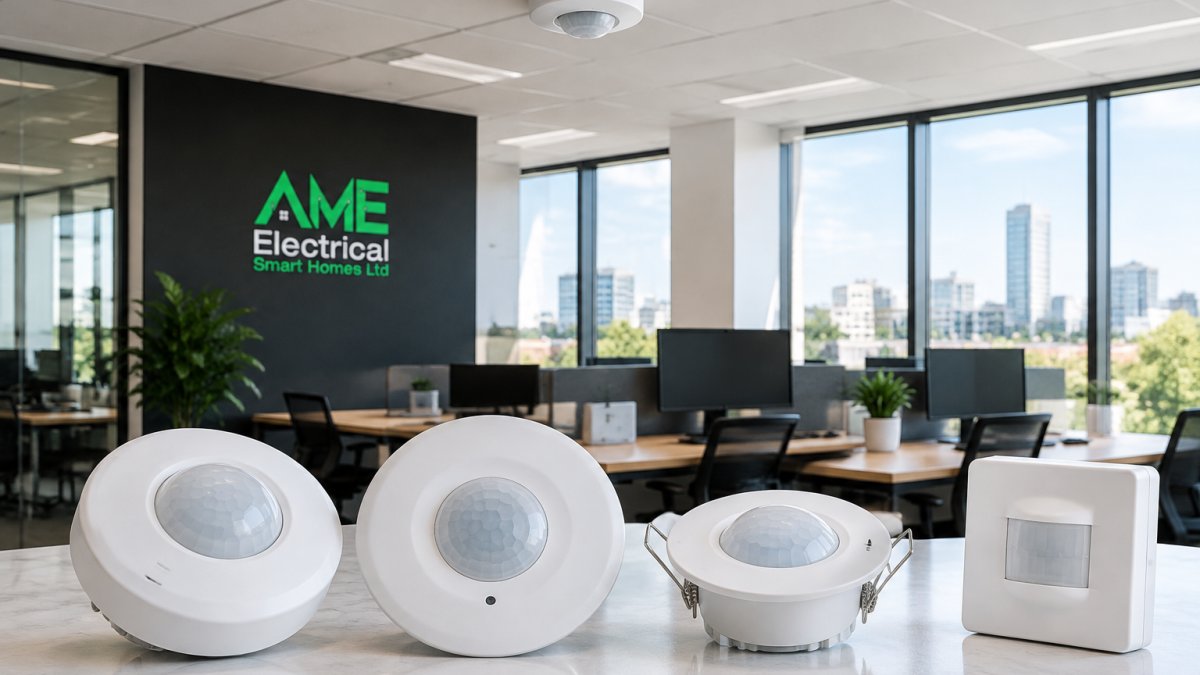
Five KNX presence detectors cover most office requirements, and the right choice depends on ceiling height, room use and how much environmental data you want from each device. The table below sets out the specifications that actually drive the decision, detection footprint, recommended mounting height, switching channels and whether the unit reports temperature or humidity, because a detector that is perfect at 2.5 metres is the wrong device at 4 metres.
| Model | Detection | Mounting Height | Channels | Starting Price | Best For |
|---|---|---|---|---|---|
| MDT SCN-P360L3 | 360°, up to 12 m diameter | 2.5-4 m | Four light channels | £125 | Open-plan lighting zones |
| Gira Presence Detector Mini | Compact, master/slave | 2.2-3.5 m | Two light channels | £140 | Design-led interiors |
| Schneider Argus Presence | Wide angle, logic gates | 2.5-4 m | Three light channels | £110 | Large-scale installs |
| Vestamatic All-in-One | Motion, presence, climate | 2.5-3.5 m | Two light channels plus HVAC | £165 | Combined HVAC and lighting |
| Theben P360 KNX | High-sensitivity PIR | 2.5-4 m | Two light channels | £135 | Meeting rooms |
Mounting Height
MDT SCN-P360L3 Presence Detector
The MDT unit is suited to open-plan floors. Its 360-degree detection and four light channels let one device manage several lighting groups, and constant light control can keep lux levels steady as daylight shifts. It is highly configurable in ETS. The trade-off is that it needs proper commissioning, so budget for an integrator rather than a DIY setup.
Gira KNX Presence Detector Mini
Gira’s Mini is the one to specify when the ceiling is on show.
Schneider Electric KNX Argus Presence Sensor
Schneider’s Argus is built for busy commercial floors. The wide detection angle suits large zones, and configurable logic gates handle more complex automation than most offices ever need, for example, gating lighting on both presence and ambient lux before a zone switches. Build quality is excellent and the parameter set is extensive. It is physically larger than the Mini, which matters if aesthetics are tight, and the deeper parameter set means commissioning takes longer.
Vestamatic All-in-One Sensor
The Vestamatic combines motion and presence detection with temperature and brightness sensing, so it feeds HVAC control as well as lighting. That reduces the number of devices on the ceiling and simplifies wiring, and the temperature reading can drive a heating or cooling setpoint directly over the bus. Masking lets you ignore fixed obstructions such as columns. It costs more per unit at £165, but replaces two or three separate sensors, which usually wins on total installed cost once cabling and ceiling penetrations are counted.
Theben P360 KNX Presence Detector
You can browse the full range on our KNX product page to compare models directly.
Watch out: published detection diagrams assume an unobstructed ceiling and a seated occupant; desks with high monitors or shelving can cut effective coverage by a third, so always verify against the actual layout rather than the datasheet alone.
Choosing a KNX Occupancy Sensor for Office Environments
Match the sensor to the room, not the other way round. A KNX occupancy sensor for office use should be selected on detection technology, mounting height and zone count before price enters the conversation.
Presence detection differs from plain motion detection: presence sensors detect minor movements, such as someone typing, while motion sensors need larger movement. For desks and meeting rooms, presence technology is the correct choice. Mounting height determines coverage, and manufacturers publish detection diagrams for each model, so check them against your ceiling height and desk layout. Multi-zone detection matters in open-plan floors where lighting should follow actual occupancy rather than blanket whole areas. Sensitivity adjustment and masking complete the picture, letting you tune out corridors, glazing reflections and fixed obstructions.
How a KNX Daylight Sensor Cuts Lighting Costs
A KNX daylight sensor holds artificial light at a target lux level, dimming or switching luminaires only when natural light falls short. Constant light control is the mechanism, and it is where most of the energy saving sits, because lighting runs at the level the room actually needs rather than at full output all day. Where daylight is good, a constant light control loop can reduce artificial output on bright days, and the saving depends on glazing area and orientation.
Pairing sensors with DALI-controlled fittings gives the finest dimming resolution. Our guide on how KNX and DALI work together explains how the two systems divide the work between bus control and luminaire dimming. The practical detail that separates a working installation from a frustrating one is the control loop itself: set a target lux (commonly 300-500 lux for desk tasks, higher for drawing or detailed work), a deadband so the system does not hunt around the setpoint, and a dimming curve that matches the fittings. Without a deadband, luminaires oscillate and occupants notice flicker; without a matched curve, the bottom of the dimming range is unusable.
Watch out: daylight sensors mounted where they see direct sun or reflected glare will read high and dim the room too far; position them to sample the task surface, not the window, and commission the setpoint on an overcast day so the loop has headroom in both directions.
KNX Sensor Installation and Commissioning: What to Expect
KNX sensor installation and commissioning is a structured process, not a quick swap. Expect cabling checks, device addressing, parameter setting in ETS and a full functional test before handover.
A typical sequence runs like this:
- Confirm bus topology and power supply capacity
- Mount devices at the specified height and orientation
- Assign physical addresses and download parameters via ETS
- Set detection sensitivity, lux thresholds and hold times
- Test each zone under real occupancy conditions
- Document settings and hand over
Commissioning has a large effect on performance. A detector with the wrong hold time will switch lights off mid-meeting, and no amount of hardware quality fixes that.
Retrofitting vs New Build: Fitting KNX Sensors Into Existing Ceilings
Retrofitting is viable in many existing ceilings, provided the bus cable route and ceiling void allow it. New builds are simpler because cabling and device positions are planned from the outset. The deciding factors include void depth, access hatches and whether the existing lighting is dimmable.
Troubleshooting False Triggers and Cybersecurity Concerns
False triggers usually trace to three causes: draughts from HVAC outlets, reflective surfaces, or sensitivity set too high. Careful placement and masking solve nearly all of them. Bus faults, addressing conflicts and IP interface problems need a more methodical approach, and our step-by-step guide on how to troubleshoot KNX home automation systems covers voltage checks and ETS diagnostics in detail.
Cybersecurity deserves equal attention. KNX installations can be exposed through IP gateways, so keep management interfaces on a segmented network, change default credentials and restrict remote access. Data privacy matters too: presence data reveals occupancy patterns, so keep it on the building network rather than pushing it to cloud services without a clear purpose.
Next Step: Get a KNX Sensor Specification for Your Office
Getting the sensor schedule right at design stage saves rework later. A specification should state detection technology, mounting height, zone count, lux targets and integration points for each room, and it should be written before devices are ordered. If you are weighing professional installation against a piecemeal approach, our overview of the benefits of professional KNX installation sets out what a certified integrator brings to a commercial project.
Sensor choice makes or breaks a KNX office. The wrong detector produces complaints; the right one disappears into the background and quietly cuts energy use. AME Electrical is a certified KNX installer and offers consultation, design, installation and support. We work with both private and commercial clients. Get started with AME Electrical and specify a sensor layout that works from day one.
Frequently Asked Questions
What is the difference between a KNX presence sensor and a motion sensor?
A motion sensor reacts to gross movement and is suited to corridors or storage areas where people pass through quickly. A presence sensor uses finer infrared detection to pick up small movements, such as someone typing at a desk, so lights stay on while the room is occupied. For open-plan offices, presence detection is the better choice because it prevents lights switching off while staff are seated and still.
Which KNX sensor is best for an open-plan office?
For large open-plan floors, sensors with wide detection angles, integrated brightness sensing and constant light control are generally suitable. Specific models should be selected against the room layout and the zones you need to control. A KNX presence detector comparison should weigh detection range against the number of zones you need to control.
Can KNX sensors control both lighting and heating?
Yes. Multi-sensor units can combine presence detection with temperature and brightness sensing, and can send HVAC commands over the bus. This lets the system switch heating or cooling to a setback mode when a room is empty and restore comfort settings on occupancy. Pairing lighting and HVAC control in one device reduces ceiling clutter and cuts the number of bus participants.
How should KNX presence sensors be positioned in an office?
Mount sensors on the ceiling at the height specified by the manufacturer, usually between 2.5 and 4 metres, and keep them away from air vents, direct sunlight and heat sources that can cause false triggers. Position units so their detection cones cover desk clusters rather than walkways alone. For large rooms, use master/slave operation or multiple sensors linked by logic to avoid blind spots and ensure even coverage.
Do KNX sensors work with daylight harvesting?
Yes. A KNX daylight sensor measures lux levels and feeds that data to the bus, allowing constant light control to dim or switch lamps in response to available natural light. This is one of the most effective ways to cut lighting energy use in offices with good glazing. Commissioning should set target lux levels per zone so artificial light tops up what daylight does not provide.
