
Table of Contents
- Step 1: Work Through a KNX Troubleshooting Checklist Before You Touch Anything
- Step 2: Check KNX Bus Voltage Troubleshooting Basics
- Step 3: Use ETS Diagnostics KNX Tools to Find the Fault
- Step 4: KNX IP Interface Troubleshooting for Network Faults
- Step 5: Diagnose Devices That Have Stopped Responding
- Common Mistakes to Avoid When Troubleshooting KNX Systems
- When to Call a Qualified KNX Installer
- Frequently Asked Questions
Last Updated: 18 October 2026
Step 1: Work Through a KNX Troubleshooting Checklist Before You Touch Anything
When you troubleshoot KNX, a system that misbehaves is rarely broken in one place. It is usually one small fault showing up in several rooms at once, and the fastest way to find it is to slow down. At AME Electrical, we see this constantly on callouts: a homeowner reports that the hallway lights “died”, when the real fault is a single loose bus terminal in the distribution board.
Before you open a single enclosure, work the checklist. It stops you chasing symptoms and gets you to the cause.
The order that saves time
Follow this sequence every time:
- Write down what changed. New device, new app, power cut, building work, firmware update.
- Note which rooms and circuits are affected. One room points to a device. A whole line points to the bus.
- Check the power supply and choke. No LED means no bus.
- Look at the bus voltage. This is the fastest single test you can run.
- Open ETS and read the diagnostics. Do not guess at this stage.
- Only then touch devices. Swapping parts before diagnosis is how small faults become big bills.
Photograph the distribution board before you change anything. KNX terminals are small, tightly packed, and easy to misplace. A phone photo of the wiring saves a long afternoon.
That is the theory. Here is what actually happens when you start testing.
Step 2: Check KNX Bus Voltage Troubleshooting Basics
KNX bus voltage troubleshooting starts with one number: the bus should sit at roughly 29 to 30 volts DC on a healthy line. Anything well below that points to a power supply, a short, or too much load on the line.
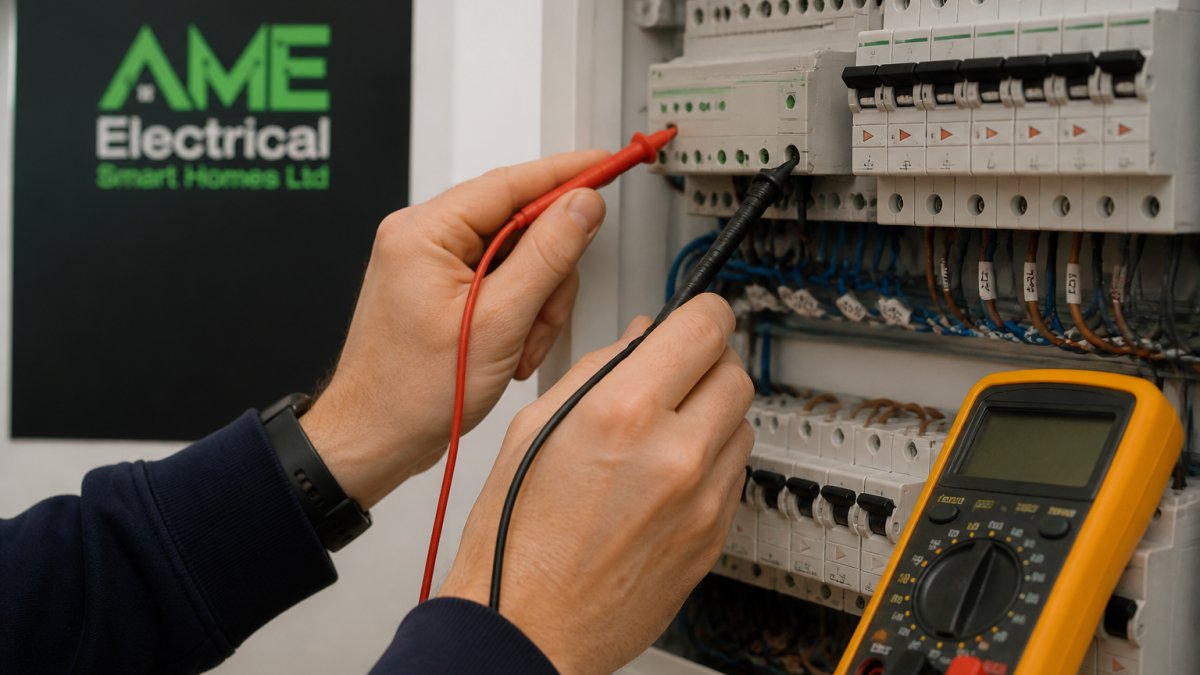
Test at the power supply output first, then at the far end of the line. A big drop between the two means resistance or a damaged cable. A flat reading means the supply has failed or tripped.
Then check for the classics:
- Polarity reversed after a recent alteration
- A device dragging the line down (disconnect in halves to isolate it)
- Too many devices on one line, which overloads the supply
- Moisture or rodent damage in a cable run
Never test bus voltage with the line live and your meter set to the wrong range. A careless probe across the terminals can short the supply and take down every device on that line. Isolate first, then measure.
Once the voltage reads correctly, the fault is almost certainly logical rather than electrical. That is where ETS earns its keep.
Step 3: Use ETS Diagnostics KNX Tools to Find the Fault
ETS diagnostics KNX functions turn a vague complaint into a specific address. The bus monitor is the workhorse: it shows every telegram travelling on the line in real time, so you can see whether a command is being sent and whether anything is answering.
Reading the bus monitor without guesswork
Press a wall switch and watch. You should see a group address telegram go out and a device acknowledge it. What you see tells you where the fault sits:
- No telegram at all means the switch is not communicating. Check its connection and programming.
- Telegram sent, no response means the actuator is offline or misaddressed.
- Telegram looping repeatedly means a stuck device or a programming error.
Use the device info and group address views alongside the monitor to confirm that the addresses in the project match what is physically installed. A device that was swapped without being re-downloaded will sit silently on the bus, looking healthy and doing nothing.
If the fault only appears on the network side, the next step is different.
Step 4: KNX IP Interface Troubleshooting for Network Faults
KNX IP interface troubleshooting comes down to one question: can the interface see the network, and can the network see it? Most IP faults are ordinary IT problems wearing a KNX hat.
Work through these in order:
- Confirm link lights on the interface and the switch port.
- Check the IP address is in the right subnet and not clashing with another device.
- Ping the interface from a laptop on the same network.
- Test the cable and port by swapping to a known working one.
- Restart the interface and allow it time to reconnect.
A common mistake is a DHCP reservation that has drifted, leaving the interface on an address ETS no longer expects. Static addressing for KNX interfaces removes that whole class of problem.
Step 5: Diagnose Devices That Have Stopped Responding
A dead device is not always a dead device. Before you replace anything, confirm three things: it has bus power, it is programmed with the correct application, and its group addresses match the project.
The usual culprits:
- A device swapped without re-downloading its programming
- A failed power supply on a sub-line
- A corrupted project file that no longer reflects reality
- Physical damage from building work or water ingress
If a single device fails and everything else works, the fault is local. If a whole line goes quiet, look back at the supply and the bus.
Diagnose in this order: power, then programming, then physical device. Skipping straight to replacement is the most common and most expensive mistake in KNX fault finding.
Common Mistakes to Avoid When Troubleshooting KNX Systems
The biggest mistake when you troubleshoot KNX is changing hardware before reading diagnostics. ETS will usually tell you what is wrong in minutes, and guessing costs hours.
Others we see regularly:
- Not documenting changes. A system with no records is a system you diagnose from scratch every time.
- Ignoring the power supply. It is the least glamorous part and the most frequent failure point.
- Downloading a partial project and overwriting working devices.
- Testing alone. Two people, one at the board and one at the switch, halve the time.
Good documentation is not admin. It is the difference between a ten-minute fix and a full day.
When to Call a Qualified KNX Installer
Some faults are not DIY territory. If the bus voltage is unstable across multiple lines, if the project file is lost or corrupted, or if the fault keeps returning after you fix it, stop and call a certified KNX installer.
The risks are real. A wrong download can wipe working programming across a whole building. On a commercial site, that can mean lighting and climate control down for hours.
This is where working with a certified team pays for itself. AME Electrical are certified KNX installers, and we handle everything from consultation and design through to installation and ongoing support. We work on private homes and commercial premises alike, so a boutique hotel gets the same care as a luxury new build.
Frequently Asked Questions
Can I diagnose KNX faults without ETS?
You can narrow down a lot without ETS. Check the bus power supply LED, measure voltage at a spare terminal, and look for devices that lost their indicator lights. A KNX troubleshooting checklist of this kind will catch power, termination and wiring faults. What you cannot do without ETS is read the bus traffic, confirm group addresses or reprogram a device, so if the simple checks pass and the fault remains, ETS diagnostics KNX work is the next step.
Why have my KNX devices stopped responding?
The usual causes are a failed or overloaded bus power supply, a loose bus terminal, a device that has lost its programming after a power cut, or a short on the line. Work through it in order: confirm voltage at the supply, then at the far end of the line, then check whether the affected devices share a line coupler or IP interface. If one line has failed and others are fine, the fault is local to that line rather than the whole system.
How do I troubleshoot a KNX IP interface or router?
Start with the link itself: confirm the interface has an IP address, that it responds to a ping, and that the correct network settings are selected in ETS. KNX IP interface troubleshooting often comes down to a subnet mismatch, a duplicate address, or a firewall blocking multicast traffic. If the interface works for one device but not another, check the individual address and whether the device is on the same line as the interface.
When should I call a qualified KNX installer?
Call one when the fault survives the checklist, when ETS shows devices missing from the project, or when you cannot safely access the distribution board. Certified KNX installers have the project file, the diagnostic tools and the test equipment to trace a fault quickly, and they can confirm whether a device needs reprogramming or replacing. Attempting deeper work without the original ETS project risks overwriting settings you cannot easily restore.
A KNX fault that keeps coming back is usually a symptom of a system that was never properly documented or commissioned. If your diagnostics keep leading you in circles, get it looked at properly before it costs you more.
At AME Electrical, we provide certified KNX installation, seamless integration with the systems you already own, and ongoing support to keep everything running. Get a quote and let our team take the fault-finding off your hands.