
Table of Contents
- Why Local Home Security Automation Matters
- Understanding a Home Security System Without Internet
- Choosing the Right Local Smart Home Hub for Security
- Installing Security Cameras with Local Storage
- Setting Up Home Assistant Security Automation
- Integrating Sensors and Automating Your Responses
- Testing and Troubleshooting Your Local Setup
- Conclusion
- Frequently Asked Questions
Last Updated: 12 October 2026
Why Local Home Security Automation Matters
Automating home security without cloud means your system works independently, without relying on internet servers to process your camera feeds, sensor data, or security alerts. Everything stays within your home network. This approach solves a real problem: homeowners who lose internet access, or who simply don’t trust their security footage to external servers, can now have fully functional automated security that’s faster, more private, and genuinely reliable.
Local automation has a clear advantage over cloud-dependent systems. Your cameras record instantly. Your sensors trigger responses without waiting for a distant server. If your broadband drops, your security keeps working. That’s not a minor feature, it’s the difference between a system that protects your home and one that might fail when you need it most.
The complexity is real, though. Setting this up requires understanding local hubs, compatible devices, and automation logic. But it’s entirely manageable with the right approach. Below, we’ll walk you through exactly how to build a local home security system that actually works.
Understanding a Home Security System Without Internet
A home security system without internet is a network of cameras, sensors, and a control hub that all communicate locally, through your home’s WiFi or hardwired connections, rather than sending data to cloud servers. The hub becomes your security brain. It stores footage, processes sensor data, and triggers automations all on your own hardware.
This differs fundamentally from cloud-based systems. With cloud security, your camera footage uploads to a company’s servers. Your motion alerts travel across the internet. Your system depends on broadband staying active. With local systems, none of that happens. Everything stays inside your four walls.
The trade-off is straightforward. You gain privacy and reliability. You lose convenience features like remote access from your phone (unless you set up a VPN, which adds complexity). Most homeowners find the privacy and uptime gains worth the trade.
Local systems excel in specific situations:
- Rural properties where broadband is unreliable
- Homes where privacy is a priority
- Properties requiring fast, automated responses to intrusions
- Setups where you want full control without subscription fees
Choosing the Right Local Smart Home Hub for Security
The hub is your foundation. It’s the device that coordinates all your cameras, sensors, and automations. Choosing the right one determines whether your entire system works smoothly or becomes a frustrating mess.
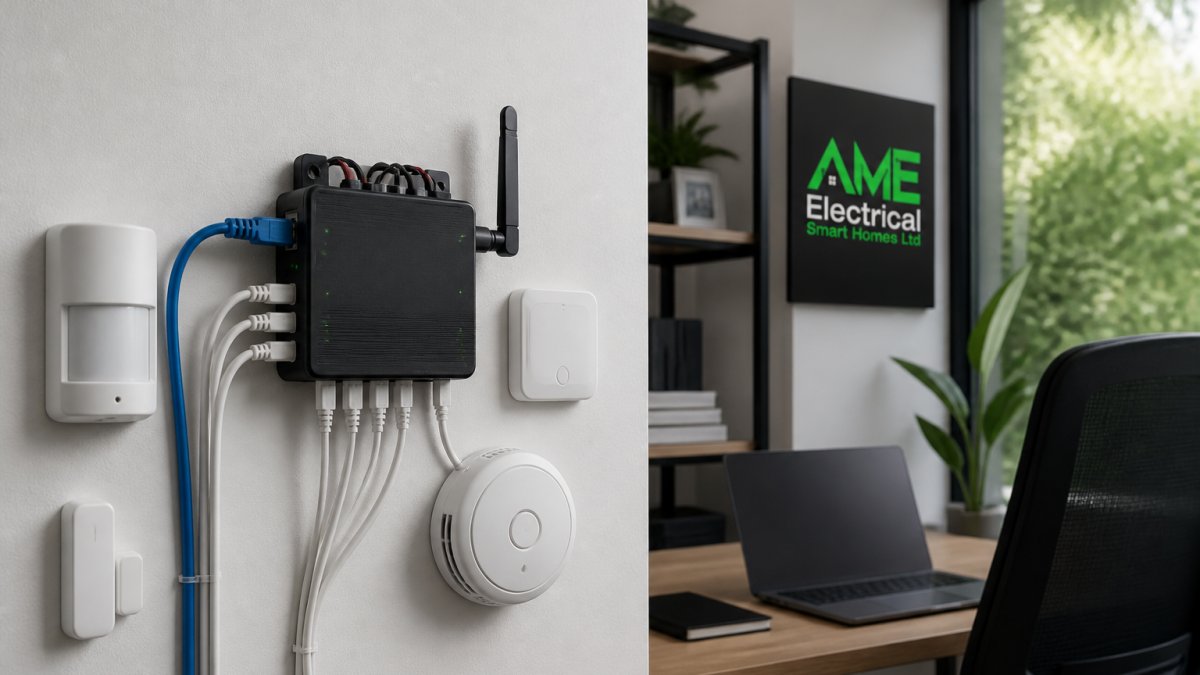
Home Assistant is the most flexible option for local automation. It’s open-source software that runs on inexpensive hardware, a Raspberry Pi, a small NAS, or even an old laptop. Home Assistant supports thousands of devices and integrations. You can automate nearly anything. The downside: it requires technical comfort. Setup involves command lines and configuration files.
Frigate specialises specifically in security. It’s an open-source NVR (network video recorder) designed for local camera storage and AI-powered detection. Frigate doesn’t require a subscription. It processes video locally using your own hardware. If you want a system focused purely on security cameras with local storage, Frigate is worth serious consideration.
Synology NAS devices offer a middle ground. These network storage systems include security apps that handle cameras, sensors, and basic automation. They’re more user-friendly than Home Assistant but less flexible. Synology works well if you want a unified system for both storage and security without steep technical demands.
For most homeowners, Home Assistant offers a strong balance of power and flexibility when building integrated local security systems. The learning curve is real, but the capability once you’re through it justifies the effort.
Installing Security Cameras with Local Storage
Cameras are the eyes of your system. Local storage means footage stays on your home network, never uploaded anywhere. This requires both the right cameras and the right storage strategy.
Choose cameras with RTSP support. RTSP (Real Time Streaming Protocol) is the standard that lets your hub access camera feeds directly. Most modern security cameras support it, but some cloud-first brands don’t. Check the specs before buying. PoE (Power over Ethernet) cameras simplify installation, one cable delivers both power and data.
Your storage device matters as much as the cameras. A NAS (Network Attached Storage) system is ideal. It connects to your home network and stores all your footage. Budget for enough capacity: a 4K camera generates roughly 100-150 GB per day. If you keep 30 days of footage, you’ll need 3-4.5 TB minimum per camera.
Set your recording strategy early:
- Continuous recording captures everything but uses storage fast
- Motion-triggered recording saves space but might miss events
- Hybrid approach records continuously at low resolution, high resolution on motion
Most setups use motion-triggered recording for efficiency. Your hub monitors the camera feed, detects motion, and switches to high-quality recording. This cuts storage needs by 70-80%.
Cable management during installation prevents future headaches. Run PoE cables through conduit if possible. Label everything. A messy installation becomes a nightmare when you need to troubleshoot later.
Setting Up Home Assistant Security Automation
Home Assistant is where the real automation happens. Once installed, it becomes the coordinator for your entire system. Here’s the practical path forward.
Start with installation. Home Assistant OS runs on a Raspberry Pi 4 (4GB RAM minimum, 8GB recommended). Download the image, flash it to an SD card, plug in power and ethernet, and it boots. The setup wizard walks you through the basics. This takes 20 minutes.
Add your cameras next. In Home Assistant, go to Settings > Devices & Services > Create Automation. Add each camera by its IP address. Home Assistant discovers most devices automatically. Once added, you’ll see live feeds in the dashboard.
Create your first automation. This is where security actually happens. A basic automation might be: “If motion detected on front door camera, send notification to my phone and record 30 seconds of high-resolution video.” Home Assistant uses simple if-then logic. No coding required for basic setups.
The learning curve flattens quickly. Most users get basic motion detection and recording working within an hour. Advanced automations, like “if motion detected AND it’s after 9 PM AND I’m not home, turn on outdoor lights”, take longer but follow the same pattern.
Integrating Sensors and Automating Your Responses
Sensors expand what your system can do. Door sensors, window sensors, motion detectors, and glass-break sensors all feed into your hub. Combined with cameras, they create a complete picture of what’s happening around your property.
Door and window sensors are the easiest starting point. They’re cheap, wireless, and most work with Home Assistant. When a door opens, your hub knows immediately. You can trigger automations: record video, send alerts, unlock a smart lock, or activate lights.
Glass-break sensors detect the acoustic signature of breaking glass. They’re more reliable than motion detection alone for perimeter security. Pair them with your cameras, and you’ve got genuine intrusion detection.
Motion sensors work best outdoors. Indoor motion sensors often trigger false alarms from pets or curtains moving. Outdoor sensors positioned to cover entry points catch genuine threats.
Build automations that make sense for your home:
- Door opens at 2 AM → record video + send alert
- Motion detected on driveway → turn on outdoor lights + record
- Multiple sensors triggered in sequence → potential break-in response
Start simple. One or two automations. Get comfortable with how your system responds. Add complexity gradually.
Testing and Troubleshooting Your Local Setup
Testing is where most people skip steps, and regret it. A system that looks good on paper might fail when you actually need it.
Test each component individually first. Verify each camera records. Check that sensors trigger alerts. Confirm automations run as expected. Do this in daylight, when you can see what’s happening.
Test at night. Your cameras behave differently in darkness. Infrared performance varies. Night recording might be too dark to identify faces. Test this before relying on your system.
Simulate an intrusion. Walk past motion sensors. Open doors. Trigger automations. Does your system respond correctly? Does it send notifications? Does video record? If anything fails, fix it now.
Common issues and fixes:
- Cameras offline → check network connection and power
- Automations not triggering → verify sensor is properly added to Home Assistant
- Video stuttering → reduce resolution or check network bandwidth
- Storage filling up → adjust recording duration or increase capacity
Network bandwidth is often the culprit. Multiple 4K cameras streaming simultaneously can saturate your network. If this happens, reduce resolution on less critical cameras or upgrade to WiFi 6.
Keep documentation. Note your camera IP addresses, automation logic, and storage locations. If something breaks, you’ll need this information to troubleshoot quickly.
Conclusion
Building a local home security system that actually works requires patience and attention to detail, but the result is a system you control completely. No subscriptions. No cloud dependency. No privacy concerns about where your footage goes.
AME Electrical specialises in integrated smart home systems that work reliably without relying on external servers. We help homeowners across the UK and Ireland design local security setups that combine cameras, sensors, and automation into seamless protection. If the technical side feels overwhelming, or if you want professional guidance on integrating local security with your existing smart home infrastructure, get a quote from our team and we’ll walk you through exactly what’s possible for your property.
Frequently Asked Questions
Can a smart home security system work without an internet connection?
Yes. Local automation systems operate entirely on your home network without needing cloud services. Sensors, cameras, and hubs communicate directly with each other through your local network. Internet outages won’t affect core security functions like motion detection, door sensors, or local alarm triggers. However, remote access from outside your home requires internet, so you’ll need a backup connection if you want to check on your property while away.
What equipment do I need for home security automation without cloud?
You’ll need a local hub (such as Home Assistant running on a Raspberry Pi or a dedicated device), security sensors (door and window contacts, motion detectors), security cameras with local storage capability, and wiring to connect everything. Choose devices that use local protocols like Zigbee, Z-Wave, or KNX rather than cloud-dependent systems. A network-attached storage device or local hard drive extends your camera recording capacity without relying on subscriptions.
How do I receive alerts from a home security system without cloud services?
Local systems send alerts through your home network using methods like local notifications on your smartphone via apps, push notifications through your hub’s interface, or email routed through your own mail server. Some setups use local sirens or lights as immediate alerts. You can also configure your system to trigger actions automatically, for example, turning on lights when motion is detected, without needing cloud notification services.
What happens to automated security routines if the internet goes down?
Local automation continues to run. Motion sensors still trigger lights, door sensors still log activity, and cameras continue recording locally. You lose remote access and cloud-dependent features, but your home’s core security and automation functions remain operational. This is a key advantage of local systems: they’re resilient to connectivity failures, making them more reliable than cloud-only alternatives.