
Quick Summary
A KNX DALI gateway links dali emergency lighting to the KNX building system, letting you read luminaire status and manage emergency lights from one place. Setup runs in ETS: import the product database, add the gateway, run DALI discovery, set device types and save.
- Set self-contained emergency luminaires to device type DT1, or their status objects will not populate.
- Check bus power against the gateway datasheet, since the load figure varies by product.
- Map lamp failure, battery fault and test results to separate group addresses, not one fault bit.
- Use the duration test result, not a green status screen, to confirm full run time.
Table of Contents
- What a KNX DALI Gateway Does for Emergency Lighting
- Preparing the Project: Bus Power, Device Limits and Architecture
- KNX DALI Gateway Configuration in ETS
- KNX Group Addresses for DALI Emergency Lighting
- DALI Emergency Lighting Status Monitoring on the KNX Bus
- Scheduling and Reporting DALI Emergency Lighting Tests
- Troubleshooting a Luminaire That Stops Reporting Status
- Booking Your Emergency Lighting Integration With AME Electrical
- Frequently Asked Questions
How to Configure DALI Emergency Lighting with KNX
Last Updated: 5 November 2026
What a KNX DALI Gateway Does for Emergency Lighting
A KNX DALI gateway links your emergency lighting to the wider KNX building system. It lets you check emergency luminaires, read their status and manage them from one place.
The gateway sits between two networks. On one side is the KNX bus, which carries commands and status messages around the building. On the other is the DALI line, which connects the lights and their control gear. The gateway translates between the two so that a KNX device can read what a DALI luminaire is doing.
DALI is the Digital Addressable Lighting Interface, a standard protocol for controlling lighting. Each device on a DALI line has its own address, which is why individual luminaires can be reported on separately.
Two points help when planning the job:
Preparing the Project: Bus Power, Device Limits and Architecture
Good preparation saves time later. Before you touch the software, check three things: power, device count and how the system is split up.
Bus power matters because the KNX bus and the DALI line both need a supply. Confirm the load figure against the datasheet for your chosen gateway, because it varies by product.
Device limits need a sensible plan. Count your actual luminaires against the limits in your gateway’s datasheet.
Architecture is where many projects go wrong. Putting every emergency light on one gateway is simple, but a fault in that gateway can affect the whole system. Some installers therefore split lighting across several gateways so that one failure does not take out everything. Weigh that against the extra cost and wiring.
Here is a simple planning summary:
| Planning item | What to check | Why it matters |
|---|---|---|
| Bus power | Gateway datasheet load figure | Prevents undersupply |
| Device count | Luminaires per gateway, up to 128 | Keeps within product limits |
| Device type | DT1 for self-contained units | Correct status reporting |
| Architecture | One gateway or several | Limits the impact of a fault |
KNX DALI Gateway Configuration in ETS
ETS is the software used to configure KNX systems. You load the gateway’s application program, set its parameters and link its objects to the rest of the building. The order matters, because a gateway configured out of sequence will often discover devices it cannot then address correctly.
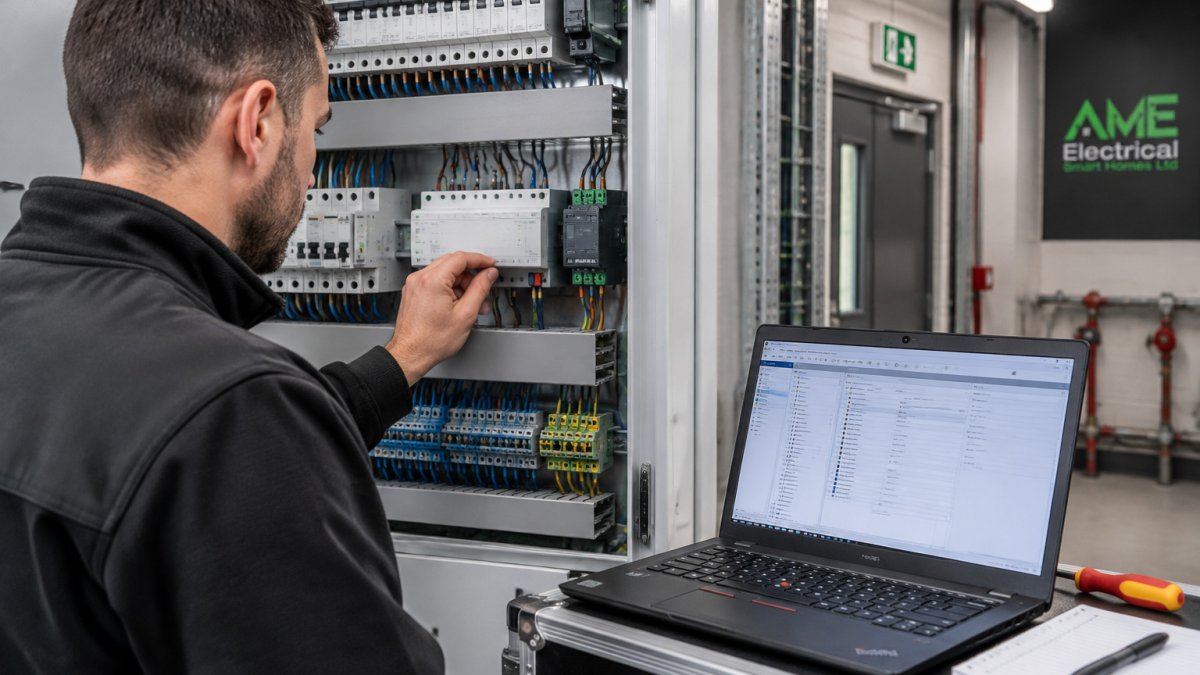
Work through the configuration in this order:
- Import the product database for your gateway into ETS. Check the database version against the gateway firmware, a mismatch is a common cause of missing parameters.
- Add the gateway to your project and assign it a physical address on the KNX line.
- Open the gateway’s DCA app (device configuration app) if it has one, and use it to set the DALI line parameters before any addressing.
- Run DALI discovery to find the devices on the line, then assign short addresses.
- Set the device types for each discovered device, including DT1 for self-contained emergency units.
- Set the status and test options, so that emergency test results and faults are reported to the bus.
- Save and download the configuration to the gateway.
The DCA-first workflow. Many gateways use a dedicated device configuration app before addresses are found. Many gateways use a dedicated device configuration app, so check your gateway’s documentation for the recommended order before running address discovery.
Parameter settings that catch people out. The gateway parameters decide how the DALI line behaves, and a few settings cause most of the commissioning problems:
- Device type per channel. A self-contained emergency luminaire must be set as DT1. If it is left as a standard DT0 or auto-detected wrongly, the emergency status objects never populate.
- Test timing. Function and duration test intervals are usually set in the gateway parameters, not in the luminaire. Set them here so the gateway schedules the tests and records the results.
- Fault behaviour. Decide whether a DALI fault should drive a KNX object, a gateway LED, or both, and set the priority so a fault is not masked by a normal status update.
- Bus power. Confirm the gateway’s DALI supply can carry the connected load; the datasheet figure is the one to trust, not a rule of thumb.
Commissioning device addresses and group assignments. Commissioning means giving each DALI device an address and assigning it to a group. Discovery finds the devices on the line. You then name them and place them in groups, such as all corridor emergency lights on one floor. Group assignments decide what you can control and monitor together, so keep the naming clear and consistent, it makes fault-finding much quicker later.
When a device is not found. If discovery returns fewer devices than you expect, work through this in order before changing anything else:
- Confirm the DALI line is powered and the gateway’s DALI LED shows activity.
- Check the device is actually on the line and its DALI terminals are tight.
- Confirm the device type is supported by the gateway firmware.
- Re-run discovery after a gateway restart, some gateways only scan a limited address range by default.
- If a device appears but will not take an address, check for a duplicate short address left over from a previous installation.
Watch out: do not download the configuration before checking the device types. A wrong device type will mean an emergency light reports the wrong status, or none at all, and the fault looks like a wiring problem when it is a parameter problem.
KNX Group Addresses for DALI Emergency Lighting
Group addresses are the links that let KNX devices talk to each other. For emergency lighting, you usually create separate group addresses for:
- Status feedback, showing whether each luminaire is healthy
- Test commands, which start a functional or duration test
- Fault reporting, which alerts the building system when something is wrong
Keep the status and command addresses separate. This makes it easier for a visualisation or monitoring tool to read the status without accidentally sending a test command.
DALI Emergency Lighting Status Monitoring on the KNX Bus
Once the status objects are linked, monitoring becomes the part of the system the building actually relies on. The gateway exposes each emergency luminaire’s condition as discrete KNX objects, and the quality of your monitoring depends on how those objects are mapped and how often they are polled.
What the gateway actually reports. A DALI-2 emergency control gear device returns a status word that the gateway splits into separate KNX objects. The ones that matter in practice are:
- Lamp failure, the emergency lamp or its inverter has failed.
- Battery fault, the battery is missing, disconnected or has failed its charge check.
- Function test result, pass or fail from the last short-duration test.
- Duration test result, pass or fail from the last full-discharge test.
- Test in progress, useful so that a visualisation does not flag a healthy luminaire as faulty mid-test.
- Communication lost, the gateway has stopped hearing from that DALI device.
Map each of these to its own group address rather than bundling them into a single “fault” bit. A single bit tells you something is wrong but not what, and the first question on site is always which component failed.
Polling versus event-driven reporting. Most KNX DALI gateways can either send status on change or be polled on a cycle. Event-driven reporting is lighter on bus traffic and gives near-instant fault visibility, but it depends on the gateway’s own polling of the DALI line.
Making the status readable. In a KNX visualisation, group the emergency luminaires by floor or by escape route rather than by DALI line. A facilities team looking at a screen wants to know which corridor has a failed fitting, not which line address 23 sits on. Keep the DALI line and device address in the object description so an engineer can trace it back.
Set the visualisation or a connected logging tool to retain function and duration test results, so that you have a dated record of testing.
Watch out: a luminaire that reports “healthy” between tests is not proof it will run for the full duration. Only the duration test result confirms that, so do not let a green status screen replace the scheduled duration test.
Scheduling and Reporting DALI Emergency Lighting Tests
Emergency lights should be tested on a regular schedule set by the requirements that apply to your building. Set the test timing in your KNX system so that tests run automatically and results are recorded.
Keep records of every test. A clear log helps you show that the system was checked and what the outcome was. Check the requirements for your building with a qualified electrician or your fire safety adviser, because the rules depend on the type of building and its use.
Troubleshooting a Luminaire That Stops Reporting Status
A luminaire that stops reporting is the most common problem. Work through these steps in order:
- Check the luminaire’s power and DALI connection. Is it powered, and is the DALI cable intact?
- Check the device address. Confirm in ETS that the device still has the address you assigned.
- Check the device type. A self-contained unit needs the DT1 setting. Also check the gateway’s DCA settings.
- Check the group links. Make sure the status object is linked to the correct group address.
- Check the gateway. Look at its status indicators and confirm it is communicating on the KNX bus.
- Re-run discovery if a device was added, moved or replaced.
- Download the configuration again once the fault is found.
If the problem continues after these checks, call an installer. Do not keep changing settings without a record of what you changed.
Booking Your Emergency Lighting Integration With AME Electrical
Setting up a KNX DALI emergency lighting system takes care and clear planning. The steps above show what is involved, but every building is different, and the right design depends on your layout, your luminaires and your reporting needs.
AME Electrical provides certified KNX and Nice installation, from consultation and design through to installation and ongoing support. Get in touch to discuss your project and request a quote.
Frequently Asked Questions
How do you connect DALI emergency lights to a KNX system?
DALI emergency lights are connected to a KNX system through a KNX DALI gateway. The gateway sits on the KNX bus and on the DALI line, translating KNX telegrams into DALI commands and reporting DALI device status back to the bus. Each DALI device is addressed and then linked to KNX group addresses in ETS, which lets the building management system read status and trigger tests. Check the gateway datasheet for the maximum number of DALI devices it supports.
How can KNX display the status of DALI emergency luminaires?
KNX displays emergency luminaire status by mapping the status information reported by the DALI gateway to dedicated binary or status objects. Typical status values include battery fault, lamp fault and function test result. Once these objects are linked to group addresses, they can be shown on KNX visualisation panels or passed to a building management system. Planning these objects early in the ETS project avoids reconfiguration during commissioning.
Can a KNX system schedule DALI emergency lighting tests?
Yes. A KNX system can trigger function and duration tests through the DALI gateway using group addresses, typically from a time switch or scheduler in the KNX application. The schedule should follow the test regime required for the building, and the results should be recorded in test logs for maintenance records. Confirm the testing requirements for your premises with the responsible person before setting the schedule.
How do you troubleshoot a DALI emergency light that is not reporting its status?
Start by checking that the DALI device is addressed correctly and is powered on the DALI line. Next, confirm that the gateway has discovered the device and that the corresponding status objects are linked to the right group addresses in ETS. Check the DALI bus power supply and the total bus load, since an overloaded line can cause missing telegrams. If the device still does not report, re-run the commissioning procedure for that address and review the gateway diagnostics.
