
Last Updated: 4 November 2026
Quick Summary
Most knx dali gateway faults come from power, cabling or bus load, so check those first. Then confirm the DALI wiring and polarity, verify that the gateway passes telegrams in both directions, and review ETS group addresses and parameters. Work through these in order, testing one section at a time.
- Check stable supply voltage at the gateway and KNX bus before anything else.
- Confirm device count on each DALI line is within the gateway’s specification.
- Measure resistance across the DALI bus to find shorts or open circuits.
- Use the ETS group monitor to see whether commands reach the DALI side.
- Give every DALI driver a unique short address and record the mapping.
Table of Contents
- Start With Physical Checks: Power, Cabling and Bus Load
- DALI Bus Wiring and Polarity: Finding the Faults That Stop Communication
- Confirming Gateway Communication Between KNX and DALI
- DALI Device Addressing and Discovery: Finding Missing Drivers
- ETS KNX DALI Commissioning: Checking Group Addresses and Parameters
- DALI Lights Not Dimming: Fixing Control Gear and Logic Faults
- Booking Your Next Step: When to Call AME Electrical
- Frequently Asked Questions
Start With Physical Checks: Power, Cabling and Bus Load
Most KNX DALI gateway problems start with something simple: power, cabling or bus load. According to xxter’s troubleshooting guide for KNX and DALI gateway communication, physical wiring faults are the most frequent cause of communication failures. For a step-by-step guide to diagnosing unresponsive devices and system faults, see our smart home system troubleshooting guide. Check these basics before you touch any software.
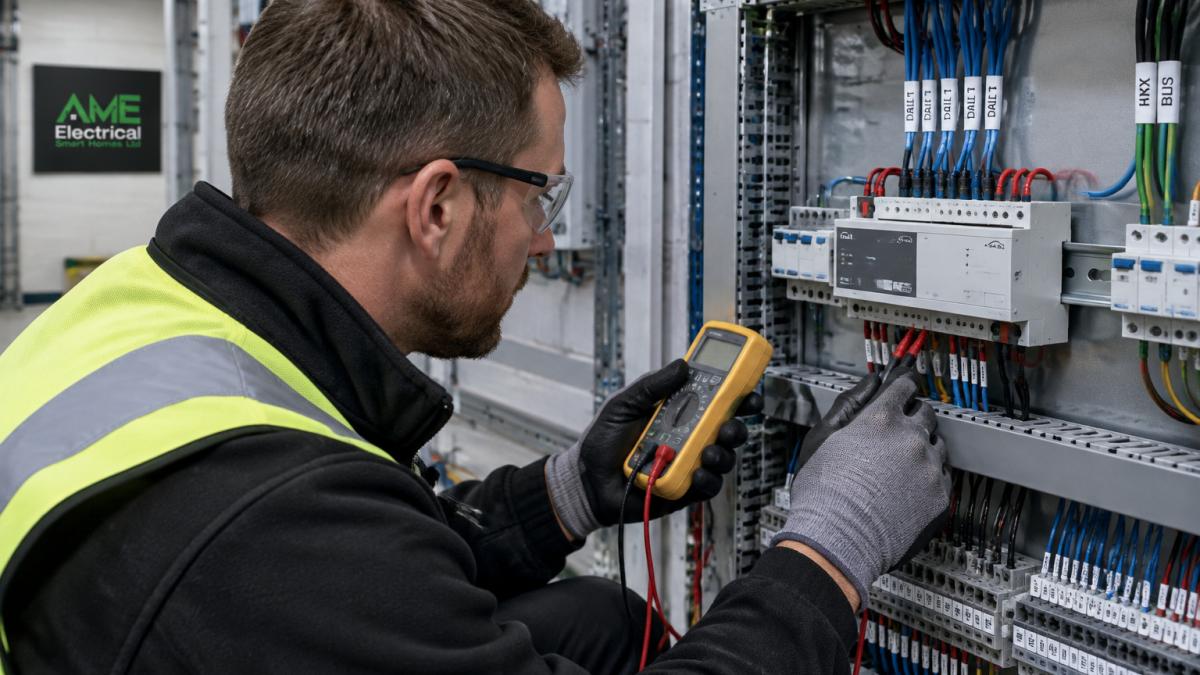
Begin by confirming that the gateway and the KNX bus receive stable power. Check the voltage at the supply terminals, and look for loose connections or scorched terminal blocks.
Next, check the DALI bus load. Too many control gear units on one line can overload the supply and cause the gateway to drop commands. Count the devices on each DALI line and compare the total against the gateway’s specification.
Cable length also matters. xxter’s guide to common KNX-DALI gateway failures notes that DALI bus cable runs longer than the recommended limit are a primary cause of instability. If a run is long, shorten it, split the line, or use a larger cable gauge.
Look for these warning signs:
- The gateway LED flashes or stays off
- Lights respond slowly or not at all
- Commands work on some lines but not others
- The gateway resets on its own
Quick physical checklist:
- Stable supply voltage at the gateway and KNX bus
- Device count on each DALI line within specification
- DALI cable runs within the recommended length
- No loose terminals or damaged insulation
DALI Bus Wiring and Polarity: Finding the Faults That Stop Communication
Wiring faults are the next place to look. The DALI bus is polarity-free, but the gateway still expects a clean two-wire connection, and a broken or shorted wire will stop every device on that line.
Disconnect the DALI bus and measure resistance between the two wires. A short circuit reads close to zero ohms. An open circuit reads very high. Both mean you need to find the fault before going further.
Work through the bus in sections. Disconnect one branch at a time and watch whether communication returns. This method quickly isolates the faulty section.
Watch out: Reversed or crossed wiring between the KNX bus and the DALI bus can damage the gateway. Confirm each connection against the wiring diagram before you re-energise the system.
Common faults to look for:
- Broken or pinched conductors inside junction boxes
- Shorts between DALI and mains cabling
- Corroded terminals in damp locations
- Crossed wires at the gateway terminals
Confirming Gateway Communication Between KNX and DALI
Once the wiring is sound, confirm that the gateway passes messages in both directions. A gateway can look healthy while silently failing to relay telegrams.
Use the ETS group monitor to watch telegrams as you operate a single light from a KNX switch. You should see the command appear on the KNX side and the gateway respond on the DALI side. If the command appears but the light does not change, the problem sits on the DALI side. If nothing appears, check the KNX wiring and the group address.
Modern gateways also report their own status. KNX Association’s technical news on diagnostic features in lighting control describes how newer DALI-2 gateways flag short circuits, supply faults and control gear errors. Read these diagnostics before you assume the worst.
DALI Device Addressing and Discovery: Finding Missing Drivers
Sometimes a light simply never appears. The gateway may not have found every DALI driver on the bus, or a driver may have lost its short address. Addressing faults are among the quietest failures in a KNX DALI system because the gateway often reports no error at all.
Run the device scan from the gateway’s configuration tool and compare the number of drivers found against the number you installed. If a driver is missing, check its wiring first, then reassign its address. Most gateways expose a broadcast or physical-selection scan that can find unaddressed drivers even when their short address is blank.
Address conflicts cause quiet failures. Two drivers sharing one short address will respond unpredictably, sometimes both react, sometimes neither, and the behaviour can change between scans. Give every driver a unique short address and record the mapping in your commissioning notes. A common pattern is a driver that was replaced in service and left at its factory default address of 0, colliding with another device on the same line.
DALI-2 changes how you troubleshoot addressing. Under DALI-2, control gear exposes instance types and memory banks that let the gateway report the actual device type, firmware version and fault status of each driver. If a driver is DALI-1 only, the gateway cannot read that data, and a missing driver may simply be a DALI-1 device that the gateway has not been told to expect. Confirm the DALI version of each driver against the gateway’s device list before assuming a hardware fault.
For intermittent discovery, a driver that appears on one scan and vanishes on the next, check the bus supply and the cable run to that driver before reassigning addresses. A driver at the end of a long run with a marginal supply voltage will drop off the bus under load and reappear when the line is quiet. This is the classic “ghost” addressing fault, and it will not clear by rescanning alone.
Tip: Keep a simple spreadsheet of short addresses, group memberships and room locations. Future faults become much faster to diagnose, and a replaced driver can be readdressed to match the original mapping without a full rescan.
Watch out: reassigning a short address while other drivers are live on the bus can cause the gateway to lose track of the line; isolate the affected branch where the gateway supports it, or rescan the whole line after any address change.
ETS KNX DALI Commissioning: Checking Group Addresses and Parameters
Software errors cause many failures that look like hardware faults. A wrong group address or parameter will send commands to the wrong place, or to nowhere at all. The ETS project is where you confirm that the KNX side and the DALI side agree on what each command means.
Open the project in ETS and work through the gateway’s parameter tabs in order. Start with the general settings: confirm the device’s physical address is unique on the KNX line and that the application program matches the firmware version reported by the gateway. A mismatch here produces silent failures where the gateway appears online but ignores telegrams.
Next, check each DALI group against the lighting plan. In the gateway’s group objects, confirm that the switching, dimming and scene objects are linked to the correct KNX group addresses. A single mismatched digit is enough to break a scene.
Review the gateway parameters next. Check the scene settings, fade times, dimming curves and any logic functions. Confirm that the DALI device type selected for each output matches the control gear actually installed, a gateway configured for fluorescent ballasts will not drive LED drivers correctly even when the wiring is sound.
Telegram traffic is the other software-side fault. The Homey Community’s user reports on ‘all lights off’ troubleshooting show how excessive telegram traffic can overwhelm a gateway when many DALI spots trigger at once. If that happens, stagger the commands, reduce the number of simultaneous triggers, or move repetitive logic into the gateway rather than the KNX switches.
Use the ETS group monitor throughout. Operate one switch at a time and watch the telegram appear on the KNX side, then confirm the gateway’s response on the DALI side. If the command appears but the light does not change, the fault is on the DALI side. If nothing appears, the group address or the KNX wiring is at fault.
Our installation projects, including those in our anchor words, show how careful group address planning prevents these faults from the start.
Watch out: editing parameters while the bus is live can push partial configurations to the gateway; download the full application after any parameter change and confirm the gateway restarts cleanly before testing.
The checks below set out what to confirm in ETS and where each fault typically shows up.
| Check | What to confirm | Typical symptom |
|---|---|---|
| Physical address | Unique on the KNX line | Gateway online but ignores telegrams |
| Application version | Matches gateway firmware | Silent failures |
| Group addresses | Linked to correct DALI objects | Scene or switch breaks |
| Central objects | No stray ‘all on’ or ‘all off’ link | Lights behave unpredictably |
| DALI device type | Matches installed control gear | Drivers not driven correctly |
| Telegram traffic | Commands staggered at peak | Gateway overwhelmed |
DALI Lights Not Dimming: Fixing Control Gear and Logic Faults
If lights switch on and off but will not dim, the fault usually sits in the control gear or the logic. Start by checking that the control gear supports dimming. Not every LED driver does.
Next, check where the dimming logic lives. Grand Guide Domotique’s analysis of common integration mistakes warns that splitting lighting logic between KNX and DALI devices makes faults harder to trace. Where possible, keep the logic on one side of the system.
Test each driver by sending a direct dimming command from ETS. If a driver responds, the fault lies in the KNX logic. If it does not, the driver or its wiring is at fault.
For a deeper explanation of how the two systems share control, read our guide to anchor words.
Booking Your Next Step: When to Call AME Electrical
Many faults clear up with the steps above. Some do not. If intermittent telegram loss continues after you have checked power, wiring, addressing and parameters, the fault may need specialist monitoring equipment.
At AME Electrical, our certified KNX installers can help with KNX and DALI commissioning and fault diagnosis. Pricing depends on the size and condition of your system, so contact us for a quote tailored to your project.
Frequently Asked Questions
Why are my DALI lights not responding to KNX commands?
The most common cause is a physical fault on the DALI bus, such as reversed polarity, a broken connection or a cable run longer than the recommended limit. Start by confirming the gateway has power and that the DALI bus voltage is present. Then check the DALI wiring and polarity at the gateway terminals and at the first and last drivers. If the wiring is sound, check that the KNX group addresses in ETS match the DALI group assignments. Pricing for diagnostic visits and repairs depends on the size of the installation, so contact AME Electrical for a quote.
How do I check whether a KNX DALI gateway is communicating?
Use the gateway’s status LEDs first, then check bus monitoring in ETS to see whether telegrams from the KNX side reach the gateway. If telegrams arrive but lights do not respond, the fault is usually on the DALI side. Many modern DALI-2 gateways report bus and power supply status, which helps you separate a KNX fault from a DALI fault. Record what you see at each stage so you can narrow the cause quickly.
How do I commission a DALI line through ETS?
Commissioning starts with assigning the gateway’s physical address in ETS and importing its product database. Next, scan the DALI bus so each driver receives a short address, then create group addresses for on/off, dimming and scene control. Test each group from ETS before connecting final switches or panels. Keep a record of the addresses assigned, as this makes later fault-finding far quicker. Contact AME Electrical if you need support with commissioning a larger installation.
When should a KNX DALI gateway or lighting fault be checked by an electrician?
Call a qualified electrician if you find exposed or damaged cabling, a burning smell, repeated tripping of the supply, or lights that fail across a whole zone. These faults can present a safety risk and should not be left to continue. Work on mains-powered circuits should only be carried out by a competent person . AME Electrical can inspect, diagnose and repair these faults; request a quote through our website.
