
Table of Contents
- Understanding Your Current Smart Home Setup
- Assessing Compatibility and Integration Challenges
- Best Smart Home Hubs for Cross-Platform Integration
- Smart Home Interoperability Standards and Protocols
- Step-by-Step Integration Process
- Smart Home Automation Troubleshooting
- Common Integration Mistakes to Avoid
- Ensuring Long-Term Reliability and Support
- Frequently Asked Questions
Last Updated: September 30, 2026
Understanding Your Current Smart Home Setup
Before you begin integrating existing smart home devices, you need to know exactly what you’re working with. Most homes have a mix of brands and technologies scattered across different rooms. Some devices might be five years old. Others are brand new. That fragmentation is the real challenge.
Start by listing every smart device in your home. Include smart speakers, lighting systems, thermostats, security cameras, door locks, and any automation controllers you already own. Write down the brand and model for each one. This audit takes an hour but saves weeks of frustration later.
The goal is simple: get all these devices talking to one control point instead of managing five separate apps.
Take photos of your device labels and serial numbers. Store them in a folder on your phone. You’ll need this information when selecting a hub and configuring integrations.
Assessing Compatibility and Integration Challenges
Not every device plays nicely with every hub. This is where most integration projects hit their first wall.
Smart home devices use different communication protocols. Some use Wi-Fi. Others use Bluetooth, Zigbee, or Z-Wave. A few use proprietary systems that don’t connect to anything else. Your hub needs to speak the languages your devices actually use.
Check the technical specifications for each device. Look for terms like “Zigbee certified” or “Z-Wave compatible.” If a device only works through its own app with no open integration, it will be harder to include in a unified system.
Common challenges include:
- Older devices with no integration support, some systems simply weren’t designed to connect to third-party hubs
- Devices locked to specific ecosystems, certain brands only work within their own closed network
- Wireless range limitations, Zigbee and Z-Wave have shorter ranges than Wi-Fi, so placement matters
- Firmware compatibility, older device firmware may not support newer hub standards
Never assume a device will work just because it’s the same brand as your hub. Different product lines use different protocols. Always verify compatibility before purchasing.
Best Smart Home Hubs for Cross-Platform Integration
Choosing the right hub is critical when integrating existing smart home devices. The hub acts as the translator between your devices and your control interface.
Look for hubs that support multiple protocols. A hub supporting Zigbee, Z-Wave, and Wi-Fi gives you flexibility with existing devices. Some hubs also integrate with cloud services, allowing remote access and automation based on location or time.
Consider these factors when evaluating hubs:
- Protocol support, which standards does it handle?
- Local control, can it work if your internet goes down?
- Automation capabilities, can it create complex workflows between devices?
- Mobile app quality, is the interface intuitive?
- Professional support, is help available if something breaks?
At AME Electrical, we’ve found that the best hubs for most homes combine broad protocol support with reliable local control. Professional installation ensures your hub is positioned correctly for optimal wireless coverage across all your devices.
Smart Home Interoperability Standards and Protocols
Understanding the standards behind smart home interoperability standards will help you make better choices. These protocols determine whether devices can actually communicate.
Zigbee is a low-power wireless standard used by many smart lights and sensors. It creates a mesh network, meaning devices relay signals through each other to extend range. It’s reliable and widely supported.
Z-Wave operates on a different frequency and serves a similar purpose. Many security systems and door locks use Z-Wave. It’s particularly strong in the security space.
Wi-Fi is the most familiar standard. Smart speakers and cameras often use Wi-Fi because it offers faster data transfer. The downside is higher power consumption.
Matter is a newer standard designed to improve compatibility across brands. It’s still rolling out, but more devices support it each year. If you’re buying new devices, prioritise those with Matter certification.
The key insight: older devices may use Zigbee or Z-Wave, while newer devices increasingly support Wi-Fi or Matter. Your hub needs to bridge these different worlds.
A hub supporting Zigbee, Z-Wave, and Wi-Fi covers most existing smart home devices. Matter support is a bonus for future compatibility.
Step-by-Step Integration Process
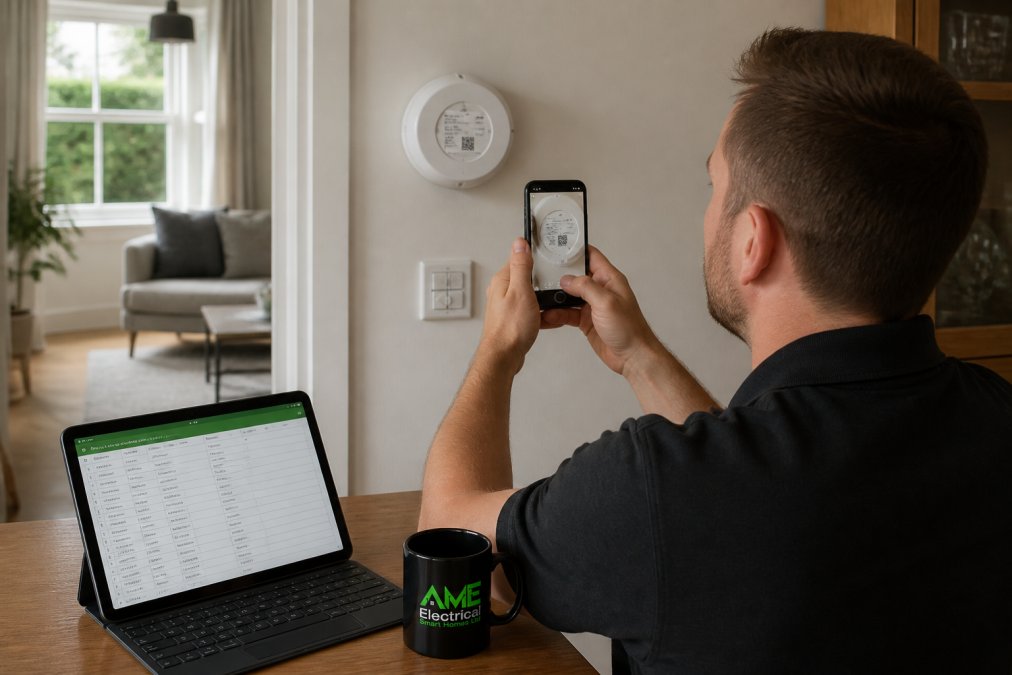
Step 1: Audit All Existing Devices and Brands
Create a detailed inventory. For each device, record:
- Device name and location
- Brand and model number
- Protocol used (Zigbee, Z-Wave, Wi-Fi, other)
- Current control method (dedicated app, voice assistant, wall switch)
- Age and firmware version if available
This audit prevents surprises later. You’ll know immediately which devices can integrate and which ones need workarounds.
Step 2: Select Your Central Hub or Control System
Choose a hub based on your device audit. If you have mostly Zigbee lights and Z-Wave locks, pick a hub supporting both. If you have a mix of everything, look for a hub with broad protocol support.
Test the hub’s mobile app before committing. Download it on your phone and explore the interface. You’ll use this app hundreds of times. It needs to feel natural to you.
Step 3: Connect and Configure Each Device
Start with one room. Add devices one at a time rather than all at once. This approach makes troubleshooting easier if something goes wrong.
Follow the hub manufacturer’s pairing process. Most devices enter pairing mode by holding a button for a few seconds. The hub then discovers the device and adds it to your network.
Once paired, rename each device clearly. Use names like “Living Room Light” or “Front Door Lock” instead of generic labels. Clear naming prevents confusion when creating automations.
Step 4: Test Automations and Workflows
Begin with simple automations. Create one rule: turn on lights when motion is detected. Test it. Make sure it works consistently.
Build complexity gradually. Add time-based rules next. Then combine multiple conditions. This staged approach helps you understand how your system behaves before creating complex interdependencies.
Test automations during the day first. You’ll see immediately if something goes wrong instead of discovering problems at night when you need your lights.
Smart Home Automation Troubleshooting
Problems will happen. The question is whether you can fix them quickly.
Devices not responding is the most common issue. Check your Wi-Fi signal strength first. Weak signals cause devices to drop offline. Move your hub closer to problem devices or add a Wi-Fi extender.
For Zigbee and Z-Wave devices, weak mesh network coverage is often the culprit. These protocols rely on devices relaying signals through each other. If a device is too far from others, it can’t maintain connection. Add an intermediate device to strengthen the mesh.
Automations not triggering usually means a condition wasn’t met. Review your automation rules carefully. Check that all devices involved are online and responding. Test each component separately before assuming the automation is broken.
Slow response times suggest network congestion. Too many devices transmitting simultaneously can overwhelm your hub. Reduce the number of simultaneous automations or upgrade to a more powerful hub.
Connectivity drops after updates happen occasionally. Firmware updates sometimes introduce compatibility issues. Check the hub manufacturer’s support site for known problems. Roll back to a previous firmware version if necessary.
Document what you try. Keep notes on solutions that worked. This record becomes invaluable when the same problem happens months later.
Common Integration Mistakes to Avoid
Buying devices before selecting a hub is backwards. Choose your hub first, then buy devices compatible with it. Doing it the other way around means devices that won’t integrate.
Placing the hub in a cupboard or corner severely limits wireless range. Put your hub in a central location, elevated off the floor. This positioning gives the strongest coverage to all rooms.
Ignoring firmware updates leaves your system vulnerable and buggy. Set a reminder to check for updates monthly. Most updates improve stability and add features.
Creating overly complex automations makes troubleshooting nearly impossible. Keep rules simple. One condition per automation works better than five conditions stacked together.
Assuming all devices from the same brand will integrate is a common trap. Some brands make Wi-Fi-only devices alongside Zigbee models. Check every device individually, even if they’re the same brand.
Not testing before relying on automations for essential functions is risky. Test every automation thoroughly in low-stakes situations first. Only use them for critical functions once you’re confident they work reliably.
Ensuring Long-Term Reliability and Support
A working smart home system today means nothing if it fails next year. Plan for the long term.
Choose hubs and devices from manufacturers with strong track records of support.
Frequently Asked Questions
Can I connect different brands of smart home devices together?
Yes, you can integrate different brands through a central hub that supports multiple protocols, or by using interoperability standards like Matter or KNX. However, compatibility depends on which protocols your devices support. Some older devices may have limited integration options, while newer products increasingly support cross-brand communication. A professional assessment will identify which of your existing devices can work together and which may need upgrading for full integration.
What is the role of a smart home hub in integrating existing smart home devices?
A central hub acts as the brain of your system, translating commands between devices that use different communication protocols. It collects signals from your devices, processes automations, and sends commands back to control lights, heating, security, and other systems. Without a hub, many devices cannot communicate with each other. The right hub choice is critical, it must support the protocols your existing devices use and provide the control interface you want.
What should I do if my smart home devices keep disconnecting or failing to respond after integration?
Start by checking your Wi-Fi signal strength and router placement, as weak connectivity is the most common cause. Restart your hub and the affected devices, then verify that all firmware is up to date. If problems persist, check that devices are within range of your hub and that no conflicting automations are running. Network congestion or interference from other wireless devices can also cause dropouts. Professional installers can diagnose deeper issues and optimise your network for reliability.
Why do some smart home systems fail after a few years, and how can I avoid expensive e-waste?
Systems fail when manufacturers discontinue support, cloud services shut down, or devices become incompatible after software updates. To avoid this, choose systems built on open standards like KNX or Matter rather than proprietary platforms, ensure your installer provides ongoing support and updates, and select devices from manufacturers with strong track records of long-term compatibility. Professional installation with a service agreement gives you protection and access to maintenance, which significantly extends system lifespan.