
Last Updated: November 19, 2026
Quick Summary
Yes, is KNX compatible with voice assistants has a clear answer: it is, but almost never directly. KNX connects to Alexa, Google Assistant and Apple HomeKit through a gateway or middleware layer that translates voice commands into KNX group addresses. The KNX standard itself does not include native voice handling.
- Alexa, Google Assistant and Apple HomeKit all work with KNX through an integration product.
- Siri voice control requires an Apple HomeKit-certified bridge, and not every KNX gateway carries that certification.
- The middleware becomes a single point of failure: if it drops offline, voice control stops.
- Test each command with the internet disconnected before relying on voice control day to day.
- Rename devices and rooms in the voice app, because default names make natural speech impossible.
Table of Contents
- Is KNX Compatible With Voice Assistants?
- KNX Alexa Integration
- KNX Google Assistant Integration
- KNX Siri Voice Control
- Gateways, Bridges and Middleware: The Hardware You Need
- KNX Voice Control Security, Privacy and Reliability
- Setting Up KNX Voice Control: Step-by-Step
- Book a KNX Voice Control Consultation
- Frequently Asked Questions
Is KNX Compatible With Voice Assistants?
Yes, the question of is KNX compatible with voice assistants has a clear answer: it is, but almost never directly. The KNX standard was built for stable building automation, and voice platforms such as Alexa, Google Assistant and Apple HomeKit connect to it through a gateway or middleware layer.
The distinction matters. A KNX installation is a long-term asset, wired and programmed to run lighting, blinds, heating and scenes for years. A voice assistant is a consumer interface that changes every few months.
Below, we explain how each platform connects, what hardware you need, and how to set it up properly.
How KNX Voice Control Actually Works
KNX voice control is the process of sending spoken commands to a KNX installation through an integration layer that translates voice-platform requests into KNX group address commands. Your spoken instruction goes to a cloud service, travels to a local gateway or hub, and is converted into a KNX telegram on the bus.
Three parts do the work:
- The voice platform receives and interprets your speech.
- The middleware maps each command to a KNX group address.
- The KNX bus carries the command to the device, such as a dimmer or blind actuator.
The KNX standard itself does not include native voice handling. That is a deliberate design choice, not a gap. Homey’s guide to controlling KNX devices with Alexa notes that KNX is a professional building-automation system built for stability and long-term installations, rather than direct integration with consumer voice assistants.
Supported Voice Assistant Platforms
The main platforms work with KNX through an integration product: Amazon Alexa, Google Assistant, and Apple HomeKit with Siri. Most KNX smart-home components support voice integration but require a bridge or gateway to connect, according to xxter’s KNX voice control overview.
A single integration product can usually expose one KNX installation to several platforms at once. ilevia’s KNX integration description describes Alexa, Google Assistant and Apple HomeKit working with the same KNX installation.
| Platform | Typical route | Voice control strengths | Watch point |
|---|---|---|---|
| Amazon Alexa | Gateway or hub with Alexa skill | Broad device support, routines | Cloud dependent |
| Google Assistant | Gateway or hub with Google integration | Natural phrasing, routines | Cloud dependent |
| Apple HomeKit / Siri | HomeKit-certified bridge | Strong privacy, Apple ecosystem | Fewer compatible bridges |
KNX Alexa Integration
KNX Alexa integration is a common request. Alexa connects to KNX through a hub or gateway that presents your KNX devices as smart-home devices in the Alexa app. You then control lights, blinds and heating by voice.
Setup follows a familiar pattern:
- Enable the integration’s Alexa skill in the Alexa app.
- Link your gateway account.
- Let the skill discover your devices.
- Group devices by room and rename them for natural speech.
The practical limit is naming. Alexa handles “turn on the kitchen lights” well. A common mistake is leaving default device names in place, which makes voice commands clumsy and long.
KNX Google Assistant Integration
KNX Google Assistant integration works in much the same way, with a Google Home account linked to your gateway. Google tends to handle natural phrasing better, so “dim the lounge lights to half” often works without a custom routine.
The trade-offs are similar to Alexa. Commands depend on the cloud service, and device discovery can take a few minutes after setup. If a device does not appear, re-sync the integration before assuming a wiring fault.
KNX Siri Voice Control
KNX Siri voice control requires an Apple HomeKit-certified bridge. Not every KNX gateway carries HomeKit certification, so check before buying. Once bridged, your KNX devices appear in the Apple Home app and respond to Siri on iPhone, HomePod and Apple Watch.
For owners already in the Apple ecosystem, this route offers the strongest privacy position, because HomeKit processing leans on the local hub. The compromise is choice: fewer KNX bridges are HomeKit-certified, and some advanced KNX functions are not exposed to Siri.
Gateways, Bridges and Middleware: The Hardware You Need
The hardware is where most projects succeed or fail. You need a KNX IP gateway or interface to put the installation on the network, plus a middleware layer to translate voice commands.
KNX IP Gateways and Interfaces
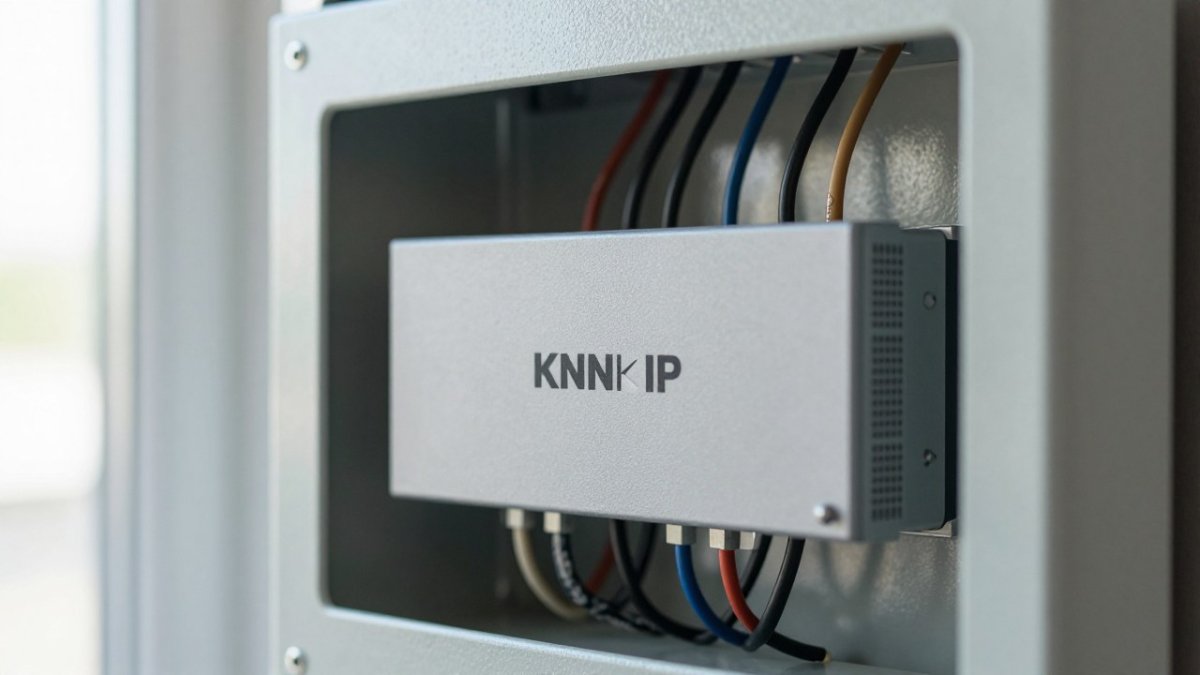
A KNX IP gateway connects the KNX bus to your data network, letting other systems read and write group addresses. Most modern installations already include one for programming and visualisation. If yours does not, this is the first purchase.
If you plan to run a hub such as Home Assistant alongside voice control, our guide on how to connect KNX to Home Assistant walks through the IP interface, group addresses and entity setup. For owners adding third-party lighting, integrating Philips Hue with KNX covers the hardware and steps.
Middleware and Integration Platforms
Middleware is the software or server that maps voice commands to KNX group addresses. Options range from dedicated KNX voice gateways to home-automation hubs and visualisation servers. The right pick depends on how many platforms you want to support and whether you want local control.
A common mistake is choosing middleware on price alone. What most guides miss is that the middleware becomes a single point of failure. If it drops offline, voice control stops even though the KNX installation keeps running.
KNX Voice Control Security, Privacy and Reliability
Security and privacy deserve more attention than they usually get. Voice commands typically pass through a cloud service, which means your commands leave the building. That is acceptable for many homeowners, but it needs a conscious decision.
Key considerations:
- Cloud dependency: most voice routes need an internet connection.
- Local fallback: KNX wall switches and scenes keep working if the cloud drops.
- Access control: secure the gateway account with strong credentials and two-factor authentication where supported.
- Network separation: keep the KNX network on a dedicated VLAN where practical.
Reliability follows the same logic. Voice control is a convenience layer, not the core control system. A well-designed KNX installation keeps lighting, blinds and heating working from physical switches regardless of what the voice platform does.
Setting Up KNX Voice Control: Step-by-Step
Setup is straightforward once the hardware is right, but the detail is where most projects stall. The steps below reflect the commissioning sequence we follow, including the checks that catch the common failures.
- Confirm the KNX IP gateway is on the network and reachable. Give it a fixed IP address or a DHCP reservation. Test that you can ping it and that ETS can connect over the network, not just over USB.
- Install and license the middleware or voice gateway. Confirm the licence covers the number of group addresses and platforms you need.
- Import or map KNX group addresses to friendly device names. Map only the group addresses you want voice control over. Exposing every address creates clutter and makes discovery slow.
- Link the voice platform account and enable the relevant skill or integration. Use the account that will own the devices long term, not a temporary installer login.
- Run device discovery, then rename and group devices by room. Rename before you build routines, because routines reference device names.
- Build routines or scenes for common requests. Compound requests such as “goodnight” that turn off lights, lower blinds and set back heating belong in a routine, not in a single spoken command.
- Test each command, then test again with the internet disconnected. Confirm that KNX wall switches and scenes still work, and note which voice commands fail so you can document the fallback.
Watch out: skipping step 7 is the mistake we see most. Owners discover the cloud dependency only when the broadband fails. Test offline behaviour before you rely on voice control day to day.
Troubleshooting the common failures
- Devices do not appear after discovery. Re-sync the integration before assuming a wiring fault. Discovery can take a few minutes, and a renamed device may need a fresh sync.
- Commands work intermittently. Check the gateway’s network connection and whether the middleware service is running. A middleware that has dropped offline stops voice control even though the KNX installation keeps running.
- Some devices respond, others do not. Confirm the missing group addresses were mapped and exposed in the middleware. The KNX bus may be fine while the bridge simply does not publish that address.
- Voice commands are clumsy or long. Rename devices and rooms in the voice app. Default names such as “KNX Actuator 3” make natural speech impossible.
- HomeKit devices missing. Check that the bridge carries HomeKit certification and that the device type is exposed. Not every KNX function is available to Siri.
Professional installation matters here. Group address mapping and network configuration are where DIY attempts stall. Our article on the benefits of professional KNX installation explains why, and our guide to professional KNX commissioning services covers the step-by-step process, programming and handover documentation.
Book a KNX Voice Control Consultation
Voice control is a convenience layer on top of a reliable KNX installation, and the integration route you choose decides how well it performs.
At AME Electrical, our certified KNX installers provide comprehensive service from consultation and design to installation and support.
Book a smart home system audit and we will review your current setup, confirm what is compatible and outline the route to reliable voice control.
The challenge is not whether KNX works with voice assistants. It is choosing the right gateway, middleware and platform combination for your building, then commissioning it properly so it stays reliable. Get started with AME Electrical and put certified KNX installers behind your voice-control project.
Frequently Asked Questions
Is KNX compatible with Alexa?
Yes, but not directly. KNX is a professional building-automation standard, so Alexa reaches it through a gateway or integration platform. A KNX IP gateway connects the installation to your network, and middleware such as a visualisation server or home-automation hub exposes KNX devices to Alexa. Once configured, you can use voice commands for lighting, blinds, heating and scenes. The setup requires a KNX-trained installer to map devices and test commands reliably.
Can Google Assistant control a KNX smart home?
Google Assistant can control a KNX installation when the system is linked through a compatible gateway or integration platform. The same KNX IP interface used for other assistants can expose devices to Google, so you are not locked into one ecosystem. You can assign rooms and friendly names in the Google Home app, then use voice commands for lights, temperature and blinds. A dealer or integrator configures the mapping so commands trigger the correct KNX group addresses.
Can Siri control KNX devices?
Siri can control KNX devices through Apple HomeKit when a HomeKit-compatible bridge or integration platform is part of the system. The bridge translates KNX group addresses into HomeKit accessories, so Siri can handle lighting, blinds, heating and scenes. Not every KNX gateway includes HomeKit support, so check compatibility before buying. An installer can confirm which bridge suits your installation and set up the HomeKit pairing.
Do you need a KNX gateway for voice control?
Yes. KNX devices communicate on the KNX bus, not over Wi-Fi, so a gateway or interface is required to connect the installation to voice-assistant platforms. The gateway provides an IP connection, and middleware translates between KNX and the assistant’s protocol. Most KNX smart-home components support voice integration but need this bridge. Your installer will specify a gateway that matches your system size and the assistants you want to use.
Is KNX voice control secure?
KNX voice control security depends on how the integration is configured. Keep the KNX IP gateway on a segregated network, use strong credentials and update firmware. Cloud-dependent assistants send commands through external servers, so review privacy settings and choose local-first middleware where possible. A professional installer can segment the network, restrict remote access and document the setup, which reduces exposure without sacrificing convenience.
