
Table of Contents
- What KNX Is and How the System Works
- KNX Home Automation Pros and Cons
- Costs and Lifecycle Value: Is KNX Worth the Investment?
- KNX vs Wireless Home Automation
- KNX Installation for Existing Homes
- KNX and Home Assistant Integration
- Booking a KNX Consultation for Your Home
- Frequently Asked Questions
Last Updated: November 8, 2026
What KNX Is and How the System Works
KNX is an open, international standard for building automation, and it is one of the few smart-home systems designed to run for decades. It works over a dedicated bus cable that links lights, switches, blinds, heating controls and sensors, so devices can communicate over that wired bus.
Each device on the bus is programmed with a group address. When a switch sends a command to “living room lights on”, every actuator subscribed to that address responds. Configuration is done through software such as ETS, and it is this programming step that makes KNX powerful and, for many homeowners, more demanding than plug-and-play alternatives. KNX suits people who want a long-term, self-contained system and are prepared to rely on a professional to design and commission it properly.
KNX Home Automation Pros and Cons
The strengths of KNX are real. It is vendor-neutral, so devices from many manufacturers can coexist on one bus. It does not depend on a single company’s app or cloud platform staying online. Because control runs locally, lighting scenes and security functions keep working during an internet outage.
The trade-offs are equally clear. Installation requires cabling, which is straightforward in a new build and disruptive in an occupied home. Upfront costs are higher than for a consumer wireless kit, and configuration needs a trained installer.
Costs and Lifecycle Value: Is KNX Worth the Investment?
Whether KNX is worth it depends on the project, not on a general verdict. The honest answer is that the value case rests on lifecycle, not on the first invoice, but that only becomes useful if you understand what drives the cost in the first place. Rather than quote a headline figure that would not survive contact with your property, it is more helpful to explain the cost structure so you can sanity-check any quote you receive.
What Drives the Cost
Five variables account for most of the variation between one KNX quote and another:
- Property size and circuit count. Cost scales with the number of lighting circuits, heating zones, blind groups and sensor positions, not with floor area alone. A four-bedroom house with 40 circuits is a very different project from a flat with 12.
- Project stage. Cabling is cheapest when it is run alongside a new build, extension or full rewire, because the first fix is already happening. Retrofitting into a finished, occupied home adds labour for lifting floors, chasing walls and making good.
- Level of integration. Core lighting and heating control sits at the lower end. Adding HVAC, security, access control, energy metering, audio and shading pushes both device count and programming time up.
- Device specification. A basic push-button versus a multi-function touch panel, or a standard actuator versus a metered one, changes the bill materially. Specification is where most of the device budget is won or lost.
- Programming and commissioning. ETS programming, scene design, logic, handover documentation and homeowner training are skilled work and should be priced explicitly, not buried in a single total.
How to Read a Quote
Ask for each element to be itemised rather than accepting one figure. A useful breakdown separates design and specification (bus layout, device schedule, circuit mapping), cabling and containment for the bus and mains, bus devices (switches, actuators, sensors, power supplies, line couplers), programming and commissioning, handover documentation, and ongoing support terms after installation. Itemising makes it clear what you are buying, what might be extra later, and lets you compare like with like across installers.
Watch out: a quote that bundles design, devices and programming into one line is almost impossible to compare, and it is usually where under-specified jobs hide.
Lifecycle Value in Practice
The lifecycle argument for KNX is genuine but specific. The bus is designed to be extended and reprogrammed rather than replaced, devices from multiple manufacturers interoperate, and there is no manufacturer subscription standing between you and your own system. That matters most for homeowners planning to stay put for a decade or more, and least for anyone likely to move within a few years. The financial case is strongest when the cabling is being installed anyway as part of a wider project, because adding the bus at first fix is generally less disruptive than retrofitting it later.
The article breaks down the main variables that drive a KNX quote, so you can compare what each installer is actually charging for.
| Cost driver | What it affects | Why it matters |
|---|---|---|
| Circuit count | Bus cabling and device numbers | Scales with circuits, not floor area alone |
| Project stage | Labour for cabling | Cheapest during a new build or rewire |
| Level of integration | Device count and programming | HVAC, security and metering add cost |
| Device specification | Cost of each device | Where most of the budget is won or lost |
| Programming and commissioning | Skilled labour | Should be priced explicitly, not buried |
KNX vs Wireless Home Automation
Wireless systems are the right choice for many homes, and it is worth being honest about that. They are quicker to install, cheaper to start with and easy to add to a property without new cabling. Their weaknesses are dependence on wireless signal quality, reliance on manufacturer ecosystems and a shorter expected lifespan for individual devices. KNX is usually the stronger option where the home is being built or substantially renovated, where many circuits need integrating, or where the owner wants a system that will still be serviceable in fifteen years.
The more useful question is not which protocol is better in the abstract, but which fits your household. Read KNX vs wireless smart home systems for an in-depth comparison of both options. Our guide on upgrading legacy electrical systems to KNX compares the routes available for existing homes.
A Practical Decision Framework
Choose KNX when:
- The property is a new build, extension or full renovation, so first-fix cabling is already on the programme.
- You have a large or complex home with many circuits, zones and rooms to coordinate.
- You want lighting, heating, shading, security and access control to behave as one system rather than several apps.
- You expect to stay for a decade or more and want a system that can be maintained and extended rather than replaced.
- You are comfortable relying on a trained installer for design and commissioning, and you want the option to change installer later without ripping out hardware.
Choose wireless when:
- The property is finished and you do not want the disruption of chasing walls or lifting floors.
- The budget is tight and the priority is a working system now rather than a long-term platform.
- You are renting, or likely to move within a few years.
- You only need a handful of rooms automated, not whole-house coordination.
- You are happy to accept that individual devices may need replacing sooner and that the ecosystem depends on one manufacturer’s continued support.
Choose hybrid when:
- You are phasing the project over several years and want the option to extend later.
Where the Two Genuinely Diverge
The difference that matters most over time is not installation speed but ownership. A KNX installation is documented, programmable by any trained integrator, and not tied to a cloud account. A wireless system is typically tied to a manufacturer’s app and hub, and its useful life is bounded by that manufacturer’s support cycle. For a homeowner planning to stay, that distinction is often worth more than the difference in first cost. For a homeowner planning to move, it rarely is.
KNX Installation for Existing Homes
Retrofitting KNX into an existing home is possible, but it needs more planning. The main challenge is running the bus cable to each switch and sensor position, which can mean lifting floorboards, chasing walls or working through ceiling voids. In many cases a partial approach works well: upgrade the rooms where automation matters most, and use a hybrid connection for the rest.
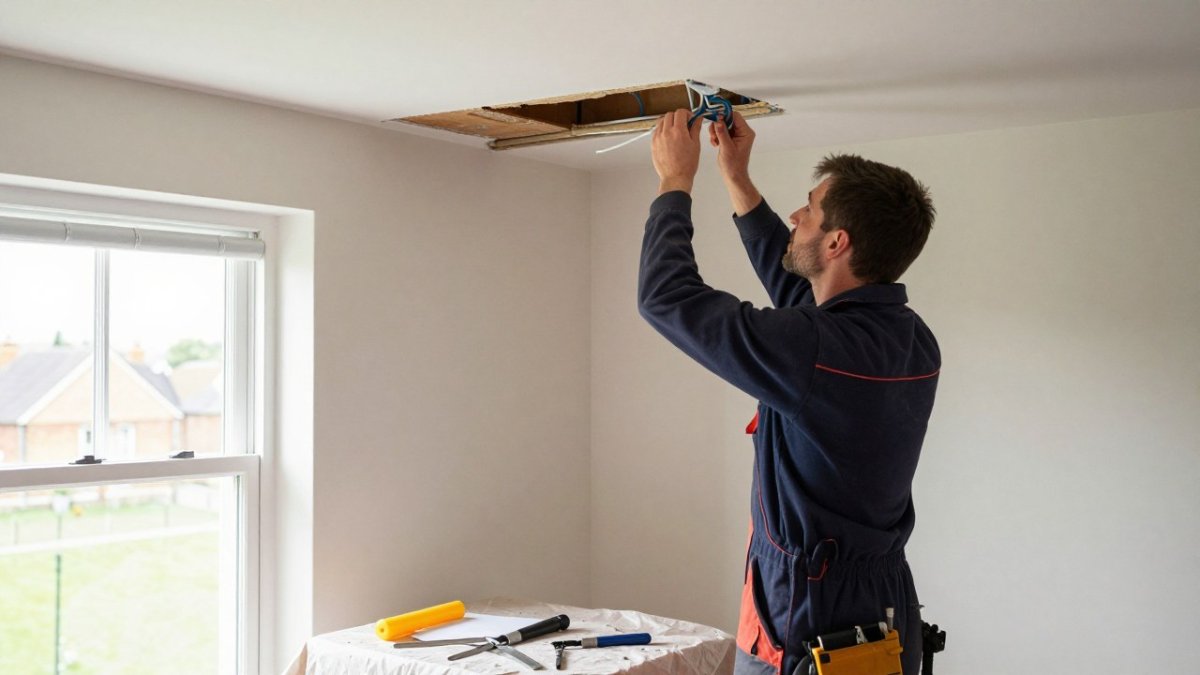
Surveying the property first, mapping the existing circuits, and deciding early whether a full bus or a hybrid design makes sense are sensible steps before any retrofit work begins.
KNX and Home Assistant Integration
Many homeowners want KNX to work alongside open platforms such as Home Assistant. For another example of cross-platform setup, see integrating Philips Hue with KNX, which covers hardware requirements and setup steps. KNX can be integrated through a gateway, which allows dashboards and automations to sit on top of a wired backbone. This combination suits technically confident households, but it does add a layer of configuration that should be scoped and supported properly.
If you already own compatible devices, it is worth confirming the integration path before committing to a design.
Booking a KNX Consultation for Your Home
Deciding whether KNX is worth it for your home is easier with a specialist survey. At AME Electrical, our certified KNX and Nice installers design and install integrated electrical and smart-home systems for residential and commercial clients, and we provide ongoing support. To discuss your project and receive a clear quote, get a quote from AME Electrical.
Frequently Asked Questions
Is KNX worth it for a residential home?
KNX is usually worth considering for new builds, full rewires and large or complex homes where wiring can be installed during construction. The main advantages are a mature open standard, proven reliability and a system that can grow over decades. The trade-offs are higher upfront cost, dependence on a qualified installer for design and commissioning, and the disruption of cabling in an existing property. For a small flat or a modest retrofit, a wireless or hybrid system is often the more sensible choice. Ask for an itemised quote and compare lifecycle costs before deciding.
What are the main advantages and disadvantages of KNX?
Advantages include interoperability across many manufacturers, a wired bus that does not depend on Wi-Fi, and long service life. Disadvantages include higher upfront cost, the need for specialist design and programming, and cabling requirements that make retrofits harder. Ongoing changes usually need an installer or a programmer with access to the project file, which affects long-term ownership. Weighing these against your own plans for the home is the best way to decide.
Can KNX be installed in an existing home?
Yes, but it is more involved than in a new build. A bus cable must reach each switch, sensor and actuator, which can mean lifting floorboards or chasing walls. Many owners reduce disruption by running KNX in key areas and linking it to wireless devices elsewhere in a hybrid design. A site survey by a qualified installer is the only reliable way to estimate the work involved in your property.
Can KNX integrate with Home Assistant?
KNX can be connected to Home Assistant through a KNX/IP interface or gateway, allowing KNX devices to be monitored and controlled from the Home Assistant dashboard. Setup requires a good understanding of group addresses, so it is best handled by someone with KNX programming experience. Integration works well for dashboards and automations, but the KNX project file remains the core of the system.
