
Last Updated: November 9, 2026
Quick Summary
The core difference in KNX vs standard smart switches is where the intelligence sits: a standard smart switch is a self-contained device controlling one circuit, while KNX is a building-wide bus system where low-voltage switches send inputs to controllers elsewhere on the network. KNX suits new builds and deep renovations, while wireless switches suit single rooms and rentals.
- KNX devices share a dedicated two-core bus cable carrying both data and power, so the system keeps working when broadband drops.
- KNX is an open standard with approximately 400 manufacturers making compatible products, giving genuine vendor independence.
- A hybrid architecture can run KNX for core infrastructure while a gateway brings in wireless devices where cabling is impractical.
- KNX configuration lives in the ETS project file, which any certified integrator can pick up and service.
- Ask whether your installer is KNX-certified and whether you receive the project file at handover.
Table of Contents
- KNX vs Standard Smart Switches: The Core Difference
- Wired vs Wireless Smart Home Architecture
- Reliability, Determinism and Fault Tolerance in Daily Use
- KNX Installation Costs and Total Cost of Ownership
- Smart Home Interoperability: Open Standards and Ecosystem Integration
- Retrofitting vs New Build: Which System Fits Your Property
- Maintenance, Longevity and Future-Proofing Your Investment
- Choosing a Certified KNX Installer for Your Project
- Frequently Asked Questions
KNX vs Standard Smart Switches: The Core Difference
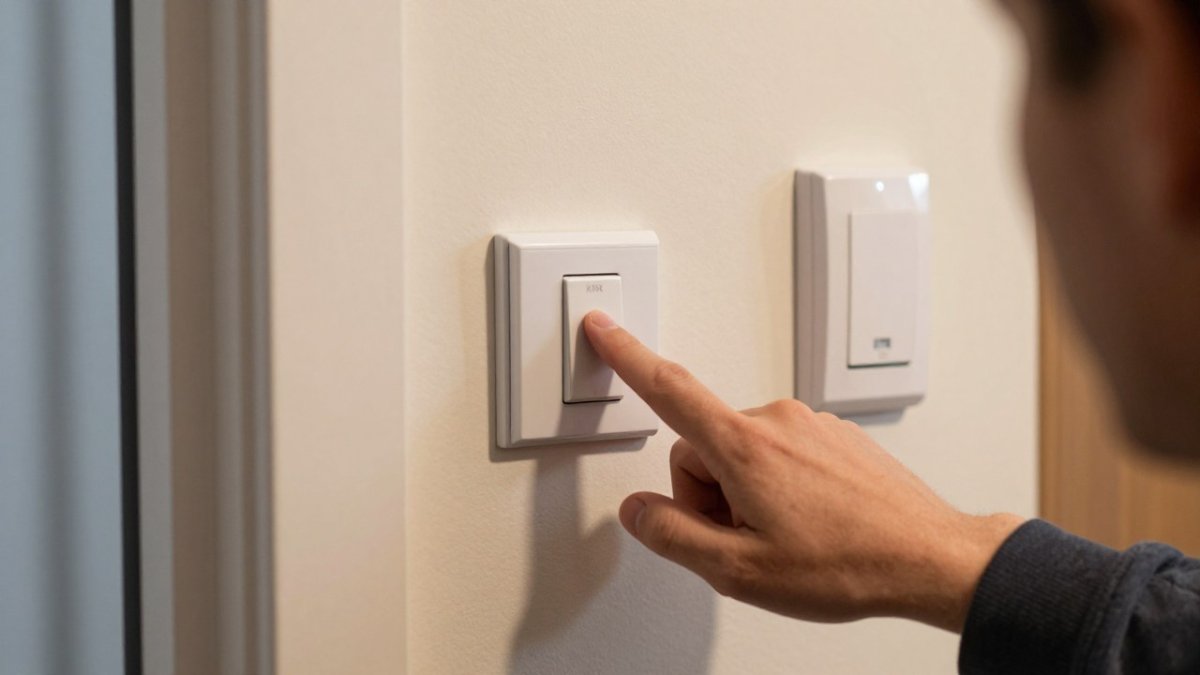
The core difference between KNX vs standard smart switches is where the intelligence sits. A standard smart switch is a self-contained device: it holds its own radio chip and app connection, and it controls one circuit. KNX is a building-wide bus system in which switches are low-voltage input devices and the decisions are made by controllers elsewhere on the network.
That single architectural choice drives almost everything else in this comparison.
The global smart home automation market was valued at £182.5 billion in 2026, according to Clearly Automated’s smart home market statistics, yet only around 14% of consumers actually use internet-connected home automation devices. Adoption is broad in marketing terms and thin in practice. Much of what has been installed is consumer-grade wireless equipment that was never designed to run a whole property for twenty years.
Wired vs Wireless Smart Home Architecture
Wired versus wireless smart home design comes down to one question: do the devices talk directly to each other, or through a router? KNX devices share a dedicated low-voltage bus cable, usually a two-core twisted pair carrying both data and power. Standard smart switches use Wi-Fi, Zigbee, Z-Wave or Bluetooth, riding on your domestic network.
The practical consequences are not subtle. A KNX bus keeps working when the broadband drops, when the router is rebooted, and when a neighbour’s network saturates the 2.4GHz band. Wireless switches do none of those things reliably, because they were never built to.
Topology matters here too. KNX supports line, star, tree and ring layouts, so a large property can be segmented by floor or wing and still behave as one system. Wireless mesh networks are simpler to plan but degrade as node counts rise and hops multiply.
Reliability, Determinism and Fault Tolerance in Daily Use
Determinism is the property that separates a building control system from a gadget collection. In a KNX installation, a button press produces a predictable outcome in a predictable time, every time, because the bus is a deterministic network with defined message priorities. Latency stays low and consistent rather than varying with network load.
Fault tolerance follows from physical isolation. The lighting bus is not the office Wi-Fi, so a failed access point does not take the corridor lights with it.
Wireless systems have improved, but they remain subject to signal interference, channel congestion and hub dependency. When the centralised hub fails, a wireless installation typically loses its automations, even if the individual switches still work manually.
KNX Installation Costs and Total Cost of Ownership
KNX installation costs more upfront than a wireless retrofit, and it is the honest starting point for this comparison.
The total cost of ownership picture is where the argument shifts. A fair comparison looks beyond a single switch to the installation as a whole over its lifetime.
Upfront hardware and cabling. KNX carries a higher cost per controlled point plus the bus cable and first-fix labour. Wireless carries a lower cost per point but no cabling.
Replacement cycle. A wireless installation is usually replaced whole-device: when a hub generation is discontinued or a protocol falls out of favour, the switches go with it.
Consumables. Battery-powered wireless switches and sensors need cells changed on a rolling basis, and the count multiplies with the size of the property.
Configuration and support. Both routes need commissioning. The difference is portability: KNX configuration lives in the ETS project file, which any certified integrator can pick up, whereas a consumer ecosystem ties configuration to an app account and a vendor’s cloud.
| Factor | KNX | Standard smart switches |
|---|---|---|
| Upfront cost | Higher per point | Lower per point |
| Cabling required | Yes, dedicated bus | No, uses existing wiring |
| Replacement cycle | Long, device-level | Short, whole-device |
| Battery consumables | None on bus-powered devices | Rolling replacement across the property |
| Configuration ownership | ETS project file, portable | App account, vendor-dependent |
| Failure mode | Localised | Hub-dependent |
| Best suited to | New build, deep renovation | Single rooms, rentals |
Watch out: a like-for-like quote comparison usually hides the cabling and first-fix labour on the KNX side and the replacement and battery lines on the wireless side, so ask for both to be shown over a ten-year horizon before deciding.
For a full breakdown of design stages, timelines and third-party integration, see our guide to planning a KNX smart home installation project.
Smart Home Interoperability: Open Standards and Ecosystem Integration
Smart home interoperability is where KNX’s age becomes an advantage rather than a drawback. KNX is an open standard, and approximately 400 manufacturers make compatible products, according to Quora discussion on the KNX ecosystem. A switch from one vendor will control an actuator from another, because the standard governs the communication protocol, not the product.
That vendor independence is the real insurance policy. If a manufacturer exits the consumer market, the rest of the installation carries on.
The KNX Association has also been pairing KNX with Matter, as 1Home’s analysis of KNX and Matter integration reports, which lets a wired building automation system talk to modern consumer ecosystems and voice assistants. In practice, this means you can have deterministic lighting and climate control alongside the consumer devices a client already owns, rather than choosing one world or the other.
For a wider look at the wired-versus-wireless question, read our comparison of KNX and wireless smart home systems.
Retrofitting vs New Build: Which System Fits Your Property
Retrofitting versus new build is the decision that most often settles the KNX question before cost is even discussed.
Work through four checks in order.
Wall cavity and chase depth. Bus cable needs a route from the distribution board to each switch position. In a property with deep chases or service voids, that is straightforward.
Existing cabling. If the property already has conduit, trunking or a spare pair running to switch positions, the retrofit case for KNX improves sharply.
Room count and control density. A small flat with a handful of circuits rarely justifies a bus.
Stage of works. If ceilings are coming down, floors are up or a rewire is planned anyway, the marginal cost of adding bus cable is small. If the decoration is fresh and staying, the calculation changes entirely.
A hybrid architecture is the option most guides skip. KNX can run the core infrastructure, lighting, heating and blinds, while a gateway brings in wireless devices for the rooms where cabling is impractical.
| Scenario | Recommended route |
|---|---|
| New build or full renovation, ceilings open | KNX throughout |
| Deep renovation with some rooms untouched | KNX core plus wireless in untouched rooms via gateway |
| Occupied property, decoration sound, few circuits | Wireless, or wireless with a KNX-ready first fix |
| Period property, shallow plaster, no conduit | Wireless, with cabling planned for any future opening-up |
Watch out: the most expensive outcome is a half-retrofit where bus cable is run to some rooms and not others without a gateway plan, leaving two systems that cannot talk to each other.
If you are weighing whether the wiring itself is worth it, our guide to future-proof home wiring sets out how to judge that against your plans for the property.
Maintenance, Longevity and Future-Proofing Your Investment
Longevity in building automation is a function of replaceable parts and stable standards, not of app quality. A KNX installation is maintained at device level: a failed actuator is swapped, the configuration is reloaded, and nothing else changes. Consumer smart switches are usually replaced whole, and often discontinued before they fail.
Commissioning and configuration software matter for the long term. KNX uses ETS, the standard engineering tool, and any certified integrator can service the installation. That portability is what stops a system becoming stranded when the original installer retires.
The learning curve is real. KNX configuration, with its group address assignment and application layer methods, is genuinely difficult for non-specialists, as discussions in the Home Assistant community make clear. That is an argument for hiring properly, not for avoiding the standard.
For maintenance strategies that protect the investment, see our guidance on smart home system longevity.
Choosing a Certified KNX Installer for Your Project
Choosing a certified KNX installer is the single highest-stakes decision in the whole project. The hardware is standardised; the quality of design, commissioning and documentation is not.
Ask three things. First, whether the installer is KNX-certified and can show the project documentation they hand over at completion. Second, how they handle configuration software and whether you receive the project file. Third, what ongoing support looks like after handover, because a building control system needs occasional attention for firmware updates and changes of use.
AME Electrical is a certified KNX and Nice installer, working on private and commercial projects from consultation and design through to installation and support. AME Electrical takes a personal, relationship-driven approach to these projects.
Watch out:
If you are at the point of appointing someone, our guide to hiring professional smart home integrators covers what to expect from the process and the support that should follow.
The decision between KNX and standard smart switches is really a decision about how long you intend to stay in the property and how much you value predictability. AME Electrical provides certified KNX and Nice installation, comprehensive service from consultation and design through to installation and ongoing support. Get started with AME Electrical and specify a system you will not need to replace.
Frequently Asked Questions
What is the main difference between KNX and standard smart switches?
Standard smart switches are individual Wi-Fi or Bluetooth devices that control one circuit and rely on your home network. KNX is a wired building automation bus where switches send digital commands to actuators over low-voltage cabling, using a decentralised control model. That means no single hub failure takes the system down, and every certified device from roughly 400 manufacturers works on the same protocol. The trade-off is that KNX needs professional installation and commissioning, while a standard smart switch can often be fitted by a competent DIYer.
Is KNX better than wireless smart home systems?
For new builds and major renovations, KNX usually wins on reliability and longevity. Wired infrastructure is immune to signal interference and Wi-Fi dropouts, and the open standard means devices remain available for decades. Wireless suits retrofits where running new cabling is impractical, and it costs far less upfront. The decision comes down to your project stage and how long you plan to stay. If you are opening walls anyway, the case for wired is strong.
Do I need a professional installer for a KNX system?
Yes. KNX commissioning requires ETS configuration software, group address assignment and bus topology planning, and the learning curve is steep for non-specialists. A certified KNX installer handles the design, wiring, programming and handover. Attempting it yourself risks a system that works inconsistently and is hard to diagnose later. Ask for proof of certification before appointing anyone.
Does KNX require a specific type of electrical cabling?
KNX runs on dedicated low-voltage bus cable, typically a twisted pair, separate from the mains electricity circuit. Devices connect to the bus line and draw power from it or from local mains feeds, depending on the device. In a new build this is straightforward to plan into the first fix. In a retrofit, surface-run cable, hybrid architecture or wireless KNX nodes can reduce disruption, which is why a site survey matters before you commit to a design.
What are the long-term reliability benefits of a wired KNX system?
A wired bus system avoids the two most common failure points in consumer smart homes: Wi-Fi congestion and hub dependency. Because control is decentralised, a single faulty device does not disable the installation, and fault tolerance is built into the topology.
