
Last Updated: 12 November 2026
Quick Summary
To set up luxury smart home security for beginners, plan your rooms before buying any devices, then choose a multi-protocol hub and get your network right. A smart home security system links sensors, cameras, locks and a hub that watch your property and alert you when something changes.
- Walk your property room by room and note every external door and window before buying devices.
- A multi-protocol hub is usually the pragmatic middle ground for a beginner.
- Give the hub a wired Ethernet connection where possible to remove a failure point.
- Cameras should cover entry points first, then the perimeter, then interior rooms.
- Commission in layers, working from the network upwards, and test resilience as well as function.
Table of Contents
- Start With a Room-by-Room Security Plan
- What a Smart Home Security Installation Actually Involves
- Choosing a Hub and Getting Devices on the Network
- Smart Security Cameras, Doorbells and Sensors: Where They Go
- Why Local Control Smart Home Security Beats Cloud-Only Setups
- Smart Home Security Best Practices for Privacy and Resilience
- Commissioning, Testing and Living With the System
- Get a Quote for Your Integrated Security Design
- Frequently Asked Questions
Start With a Room-by-Room Security Plan
Learning how to set up luxury smart home security for beginners starts with one rule: plan the rooms before you buy a single device.
Homeowners often buy devices first and design the layout second, and that order can cost more.
So flip it. Walk your property room by room and note three things:
- Every door and window that opens to the outside
- The rooms holding valuables, art or key equipment
- The routes someone would take from an entry point to those rooms
That list becomes your device map. It also stops you buying cameras you don’t need.
Match the Plan to Your Property and Risk Level
Risk level decides how deep the plan goes.
A city centre flat needs strong entry control and a video doorbell. A large detached home with grounds needs perimeter coverage, gate control and lighting that responds after dark. A listed property needs discreet hardware that respects the building.
Plan the Infrastructure Before the Devices
Infrastructure is the boring part, and it decides whether the system still works in five years. For a new build or renovation, plan power, network cabling and control panel positions before the plasterboard goes up.
Retrofit projects need the same thinking, just with more compromise. For a closer look at how devices connect in larger homes, see our guide to wired versus wireless smart home security for large properties.
What a Smart Home Security Installation Actually Involves
A smart home security installation is the process of fitting, connecting and testing security devices so they work as one system rather than separate gadgets. It has four stages:
- Survey and design – agree the device map and cable routes
- First fix – run power and data cabling before decoration
- Device fitting – mount cameras, sensors, locks and the hub
- Commissioning – test every device, rule and alert
Stage four is where most DIY jobs fail. A sensor that reports correctly but triggers the wrong routine is worse than no sensor at all.
A professional installation runs through four stages, and the last one is where most DIY jobs come unstuck.
| Stage | What happens |
|---|---|
| Survey and design | Agree the device map and cable routes |
| First fix | Run power and data cabling before decoration |
| Device fitting | Mount cameras, sensors, locks and the hub |
| Commissioning | Test every device, rule and alert |
Choosing a Hub and Getting Devices on the Network
The hub is the brain of the system. Every sensor, camera and lock reports to it, and it decides what happens next. Get this layer wrong and every device above it becomes unreliable.
Pick the Hub Category Before the Brand
Hubs fall into four broad categories, and the category matters more than the logo on the box:
- Proprietary hubs from a single manufacturer. Simple to set up and tightly integrated, but they lock you into that brand’s devices and app.
- Multi-protocol hubs that bridge several wireless standards. More flexible, but each bridge adds a point of failure and a firmware dependency.
- Professional control platforms used in integrated installations. These handle logic, scenes and third-party integration, and are usually commissioned by an installer rather than a homeowner.
For a beginner, a multi-protocol hub is usually the pragmatic middle ground. For a large property with lighting, heating, blinds and security on one platform, a professional control platform is the realistic choice.
Check the Wireless Standards
Devices talk over different radio standards, and the hub must speak the ones your devices use. The common ones are:
- Zigbee and Z-Wave for low-power sensors, locks and switches. Both form mesh networks, so mains-powered devices strengthen the signal for battery devices nearby.
- Thread for newer low-power devices, often paired with Matter as the interoperability layer that lets devices from different brands work together.
- Wi-Fi for cameras and doorbells, which need bandwidth but put load on your router.
Check Matter and Thread support before buying. Interoperability matters more than any single feature, and a hub that only talks to one brand locks you in.
Watch out: a hub advertised as supporting a standard may only bridge a subset of device types, so confirm the specific device class you plan to use.
Get the Network Right
Security devices are only as reliable as the network beneath them:
- Give the hub a wired Ethernet connection where possible. It removes one wireless hop and one failure point.
- Put security devices on a dedicated network or VLAN. This separates them from phones, TVs and guests, and limits what a compromised device can reach.
- Check Wi-Fi coverage at every camera position, not just the hallway. External walls, foil-backed insulation and metalwork all cut signal.
If coverage is patchy at the far end of the house, fix that before adding more cameras. A camera with a weak signal drops frames, misses alerts and drains its battery if it runs on one.
Keep the Hub Somewhere Sensible
The hub needs power, network and a position that reaches the devices it controls. A cupboard in the middle of the property is usually better than the loft, where heat and signal loss cause problems. Keep it on a small uninterruptible power supply so brief power cuts do not reboot the whole system.
Smart Security Cameras, Doorbells and Sensors: Where They Go
Smart security cameras should cover entry points first, then the perimeter, then interior rooms. A video doorbell handles the front approach, while cameras watch side gates, driveways and rear doors.
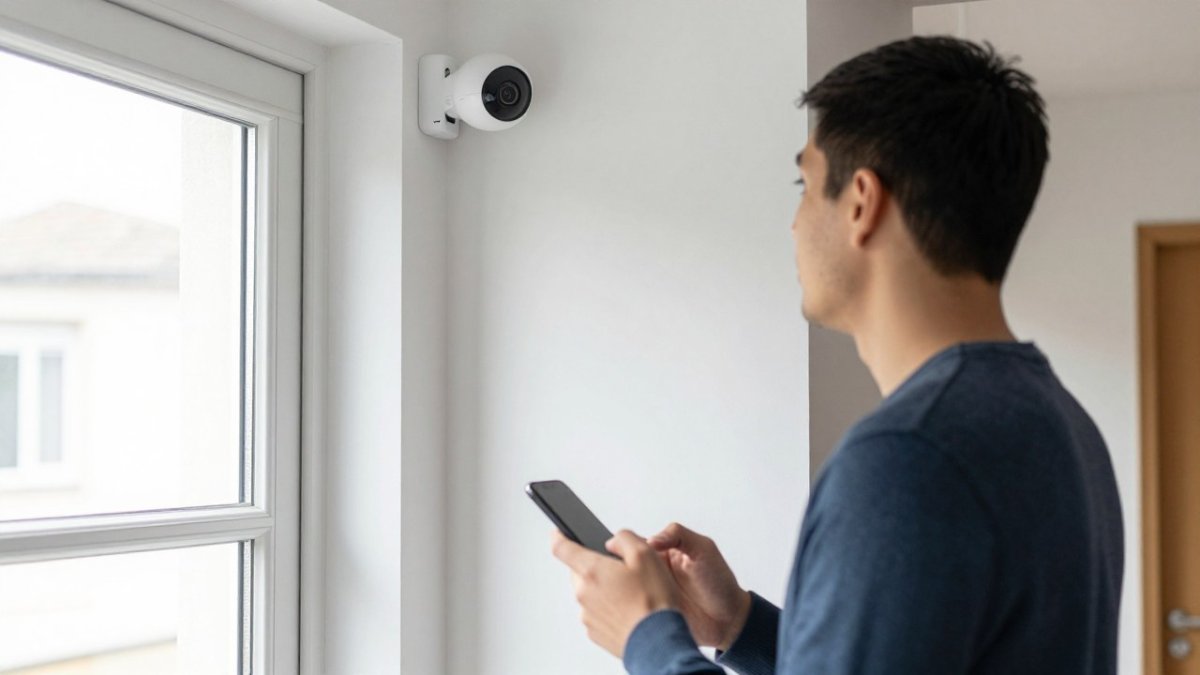
Entry Points, Perimeter and Interior Coverage
Work outwards from the doors.
- Entry points: video doorbell, door sensors, smart lock with keyless entry
- Perimeter: external cameras, gate control, motion sensors on approach routes
- Interior: motion sensors in hallways, glass-break sensors near glazing, smoke detectors linked to the alarm
For a full room-by-room layout, our guide to integrated home security system design walks through the detail.
Why Local Control Smart Home Security Beats Cloud-Only Setups
Local control smart home security keeps the decision-making inside your house. The hub runs the rules on site, so lights, locks and alarms can still respond when the internet drops.
Cloud-only systems send every command to a remote server. That works fine until the connection fails.
Local control brings three practical wins:
- Faster response times, because commands don’t travel to a data centre
- Security routines that keep running during an outage
- Less personal data leaving the property
You can still keep remote monitoring and real-time alerts through an app. Local control changes where the logic lives, not whether you get notified.
Smart Home Security Best Practices for Privacy and Resilience
Smart home security best practices come down to two habits: protect the data, and plan for failure. Most guides cover the first and skip the second.
Passwords, Updates and Data Handling
Treat every connected device as a small computer.
- Set unique, secure passwords and change default ones on day one
- Turn on two-factor authentication for the app and hub
- Apply firmware updates when they arrive
Watch out: reusing one password across the hub, cameras and app turns a single leak into full access to your home.
Coping With Broadband, Power and Cloud Outages
Resilience means the system degrades gracefully. Fit backup batteries for the hub and key sensors, and put critical devices on a small uninterruptible power supply.
Test what happens when the router is unplugged. Locks should stay operable, alarms should stay armed, and cameras should keep recording locally. For a step-by-step approach, read our guide to designing resilient luxury home infrastructure.
Commissioning, Testing and Living With the System
Commissioning is the difference between a system that works and one that annoys you. Test every device, rule and alert before you rely on it, and test them in a fixed order so a fault is found at the layer that caused it.
Commission in Layers
Work from the network upwards. Testing devices before the network is stable wastes time, because half the faults you find will be connectivity, not hardware.
- Network layer. Confirm the hub has a stable address, the dedicated network or VLAN is isolated, and every device appears in the router’s client list.
- Device layer. Pair each device, update its firmware, rename it and assign it to a room. Confirm it reports state changes to the hub.
- Logic layer. Build and test each automation rule in isolation before combining them. A rule that depends on three devices is three times harder to debug.
- Alert layer. Confirm notifications reach every household member’s phone, and that the right alerts go to the right people at the right time.
- Fallback layer. Test what happens when the internet, the power or the cloud service fails.
The Commissioning Checklist
- Walk-test every motion sensor and confirm the app logs it with a timestamp
- Open and close every door and window sensor, including tamper switches
- Check each camera’s field of view, night image and recording trigger
Test Resilience, Not Just Function
A luxury system is judged by what it does when something fails. Unplug the router and walk the house: locks should stay operable, alarms should stay armed, and cameras should keep recording locally if they have storage.
Watch out: a system that passes every functional test but fails silently during an outage gives a false sense of security, so schedule the resilience test rather than assuming it.
Live With It, Then Review
Review after a month. False alarms usually come from sensors placed near heat sources, pets or draughts, and they are easy to reposition. Check the alert log for noise, confirm every household member can arm and disarm the system, and review who has app access. Then set a seasonal review: batteries, firmware updates and camera views change with the year, and a system that was right in winter may need adjusting in summer when foliage and sunlight change what the cameras see.
Get a Quote for Your Integrated Security Design
If your property is heading into a renovation or a new build, the planning window is now, before cables and plasterboard decide the outcome for you.
AME Electrical designs and installs integrated electrical and smart home systems as one connected whole. As certified KNX and Nice installers, the business offers consultation, design, installation and ongoing support.
Get started with AME Electrical and a security design built around your property, not a box on a shelf. For the full professional route, see advanced security system installation and request a tailored quote.
A system is only as good as its design and its support.
Frequently Asked Questions
What do you need for a smart home security system?
At minimum you need a hub or control platform, a reliable Wi-Fi or wired network, and a mix of devices: smart locks or keyless entry, cameras or a video doorbell, and motion, door and window sensors. Add an alarm for intrusion detection and automated lighting for deterrence. Luxury setups usually include structured wiring, a backup battery and professional installation so the system stays reliable and the devices work together rather than as separate apps.
Can smart home security work without cloud services?
Yes. Local control smart home security keeps automation, recording and device logic running on a hub inside the property, so routines and alerts still work when the internet drops. You lose remote access from outside the home during an outage, but cameras can record to a local drive and the alarm still triggers. Many premium systems combine local control with optional cloud storage, so check what happens to recordings and notifications if the broadband fails.
Where should you place smart security cameras and motion sensors?
Put cameras at main entry points, the drive or gate, and any rear access, aiming them along paths rather than into bright windows. Place motion sensors in hallways, landings and rooms with valuables, and door and window sensors on every ground-floor opening plus accessible upper-floor windows. Avoid pointing cameras at neighbours’ property, and check sightlines at different times of day before fixing anything in place.
Should smart home security be professionally installed?
For a luxury property, professional installation is usually worth it. Certified installers handle structured wiring, power supply, network coverage and device compatibility in one plan, which reduces false alarms and the e-waste problem of mismatched kit. They also commission and test the system properly and provide ongoing support. A DIY route can work for a small flat, but integration with lighting, access control and KNX-style automation is far smoother when planned and installed by specialists.
